
Discover Trending Topics & Insights
SOME AI CATEGORIES
AI Business Productivity
Julius AI vs ChatGPT: The Ultimate Comparison
Managing heaps of data can feel overwhelming, but Julius AI revolutionizes how we interact with data. It’s no longer about deciphering spreadsheets manually; this AI tool transforms raw data into actionable insights through intuitive analysis and stunning visualizations. Whether you’re a data enthusiast or business professional, Julius AI makes acknowledging patterns and asking meaningful questions effortless. Let's start to uncover how to use Julius AI!What Makes Julius AI a Game-Changer?Julius AI eliminates the pain of traditional data analysis. Forget the long, manual hours spent searching for patterns in spreadsheets. This AI-powered tool allows users to upload data, ask questions conversationally, and receive instant insights. From stunning visuals like bar charts to predictive modeling, Julius AI truly is your data assistant on steroids. Unlocking the Power of Julius AI: A Guide to Setting Up Your WorkspacePrepare to transform your data into actionable insights with Julius AI! This intuitive platform acts as a dynamic hub for your data, streamlining analysis and uncovering hidden patterns. Here’s how to get started: Step 1: Launch Your JourneyCreate Your Account: Begin with a quick, straightforward sign-up process to access Julius AI’s tools.Supported File Formats: Julius AI works seamlessly with common file types, including Excel, CSV, and Google Sheets. Ensure your spreadsheets are well-structured for optimal results.Step 2: Integrate Your DataDirect Uploads: Easily import files from your computer into the platform.Sync with Google Sheets: Connect your Google Sheets for real-time updates and automatic data synchronization.Organize for Efficiency: Spend a few minutes structuring folders or labeling datasets—this upfront effort simplifies advanced tasks like predictive modeling later.Why Julius AI Stands OutSimplifies Data Analysis: Leverage familiar tools like spreadsheets and cloud-based sheets to jumpstart your projects.Dynamic Connectivity: Stay current with seamless integration across platforms, ensuring your analyses always reflect the latest data.Future-Proof Preparation: Thoughtful organization today paves the way for smooth regression analysis, trend forecasting, and more tomorrow.Ready to turn raw data into meaningful stories? Your Julius AI workspace is just a few clicks away! 🚀 Also Read: Julius AI vs ChatGPT >>Effective QuestioningThink of Julius AI as your brilliant data buddy, always ready with the best answers. The key to unlocking its full potential? Knowing how to ask the right questions! Why Clear Questions MatterImagine this: you ask your friend, “What’s up?” You’ll probably get a vague answer. But if you ask, “What did you play during recess today?” you’ll get way more detail. It’s the same with Julius AI. Clear, specific questions lead to precise, useful answers.What You Can Ask Julius AIJulius AI is a pro at working with numbers and organized data (that’s called structured data). Here are the kinds of questions it loves to answer:Basic Facts: Ask things like, “What were our total sales last month?”Comparisons: Want to compare? Try, “Did we sell more running shoes or hiking boots this quarter?”Patterns and Trends: Explore connections like, “Do warmer days lead to more lemonade sales?”Predictions: Wondering about the future? Julius AI can predict outcomes, such as “What might our revenue look like next month?”Tips for Better ResultsBe specific! The more focused your question, the more accurate the answer.Think about what kind of insight you’re looking for. Are you after numbers, trends, or predictions?Remember, Julius AI gives you the smarts of a data analyst—but it’s way easier to use!When you ask clear, thoughtful questions, Julius AI can deliver results that help you make smarter decisions with confidence.How to Master Data VisualizationSometimes a picture really is worth a thousand words, especially when it comes to data. Julius AI makes it easy to transform your numbers into stunning charts and graphs that bring your data to life. Why Visualization is PowerfulInstant Clarity: Charts and graphs reveal patterns and trends instantly, so you don’t have to squint at rows of numbers in a spreadsheet.Spotting the Unusual: Visualizations highlight outliers and oddities that might need a closer look.How to Create Charts with Julius AIWith Julius AI, you can create all the go-to visuals you need, including:Bar Charts: Compare categories like product sales or regional performance.Line Charts: Track trends and changes over time.Pie Charts: Show how different pieces contribute to a whole.And More: With plenty of chart options, Julius AI helps you find the perfect fit for your data.Tips for Creating Engaging VisualsCustomize Your Charts: Adjust colors, labels, and sizes to make your visuals clear and easy to understand.Choose the Right Chart: Think about the story you want your data to tell and pick the chart type that communicates it best.Keep it Focused: Highlight the most important details so your audience can grasp the key message without getting lost in too much information.Key BenefitsFrom Numbers to Insights: Julius AI helps you turn raw data into visuals that make complex ideas simple and accessible.Better Decision-Making: Spot patterns and insights fast, and share findings with others using polished, professional-looking charts.Data Storytelling Made Easy: Create visuals that don’t just show data but tell a story, helping you communicate effectively and persuasively.With Julius AI, data visualization isn’t just about making charts; it’s about making your insights shine. Experiment, customize, and find the best way to tell your data’s story! Also Read: How to Use Pictory AI >>Enhanced CapabilitiesReady to take your data skills to the next level? Julius AI comes packed with powerful tools to tackle tricky questions and uncover deeper insights. Refining Data FiltersSometimes you need to zoom in on a specific part of your data. That’s where filters shine! For example, if you only want to see sales for girls’ shoes, you can use Julius AI to quickly narrow your focus. No more sifting through rows of irrelevant data – just the information you need, right at your fingertips.Built-In Calculations and FormulasJulius AI is a math pro that makes number crunching a breeze. Whether you need a total, an average, or something more complex, Julius AI can handle it. For instance, you could calculate weekly sales averages or create custom formulas to track profit margins. Say goodbye to manual math and hello to fast, accurate results.“What If?” Modeling for PredictionsThis is where Julius AI gets really exciting! With its “what if?” modeling tools, you can explore potential outcomes. For example, what if you increased the price of your top-selling product? Julius AI can help predict how that might impact your sales and revenue. It’s like having a crystal ball for your data decisions.Key Benefits of These Advanced ToolsDeep Data Exploration: Easily filter your information and focus on the details that matter most.Built-in Efficiency: Handle calculations and formulas without downloading extra tools or spending hours with a calculator.Future Predictions Made Simple: Test scenarios and forecast outcomes to make better-informed decisions.Cleaner Data, Better Insights: While you might need to tidy your data first (a process called data cleaning), Julius AI makes it easy to work with organized and reliable datasets.These advanced features don’t just simplify your workflow; they unlock a whole new level of understanding your data. Get ready to dig deep, experiment, and uncover insights you’ve never seen before!Practical Applications of Julius AIWondering how Julius AI can make a difference for you? Whether it’s work, hobbies, or personal projects, this tool can turn your data into actionable insights. Let’s explore some examples!Use Cases Across IndustriesSupercharge Sales: Discover which products are best sellers, identify your busiest seasons, and even predict future sales so you’re always ready.Boost Marketing Strategies: Find out which ads perform the best, pinpoint your ideal customers, and measure the revenue from your campaigns.Simplify Finances: Monitor spending, build budgets, and track where your money goes with ease.And More: No matter the type of data you have, Julius AI can help uncover valuable insights.Practical Case StudiesLemonade Stand Strategist: Julius AI could analyze which days are best for sales (probably those sunny, hot afternoons), compare your prices with competitors, and help predict how much lemonade to prepare for next week’s heatwave.Sports Enthusiast: Track your favorite team’s stats, compare performance across seasons, and even predict playoff outcomes.Classroom Helper: Use Julius AI to evaluate quiz scores, track trends in student performance, or build charts for a class project.The beauty of Julius AI is that it’s not just for businesses. Whether it’s hobbies, side projects, or everyday decisions, Julius AI can make your life easier and more organized!Tips to Get the Most Out of Julius AIStart with Clean Data: Before importing, ensure your spreadsheets are tidy. Clear column headings, consistent spelling, and no empty rows make for smoother analysis.Ask and Narrow Down: Begin with broader questions, such as, “Which month had the highest sales?” Then, refine to learn more, like, “Were summer sales higher than winter ones?”Experiment Freely: The best way to learn is by playing around! Try out different types of questions, visualizations, and filters to uncover exciting insights.Key PointsJulius AI is versatile; it works for big businesses, small projects, and even personal use!Start asking questions, and then refine your queries to dig deeper into your data.The more you experiment, the more you’ll discover how this tool can simplify your work and life.Julius AI isn’t just a tool; it’s your partner in finding answers and making smarter decisions. With a little practice, you’ll be amazed at just how much it can do!Wrapping UpJulius AI transforms how we interact with data. Its intuitive design simplifies complex analytics, making it accessible to beginners while offering advanced features for seasoned professionals.From dynamic charts and predictive modeling to easily managing large datasets, Julius AI is your indispensable assistant for uncovering insights and taking informed actions.Why wait? Start your Julius AI free trial according to this How to Use Julius AI guide , and unlock the secrets your data has been hiding!Frequently Asked QuestionsQ: How do I get started with Julius AI? Getting started is easy! Just sign up on the Julius AI website, upload your data, or connect to a data source to kick off your analysis.Q: What kind of data can Julius AI analyze?Julius AI is highly flexible. It supports formats like CSV, Excel, and JSON, and can even connect directly to databases for seamless integration.Q: Can Julius AI help me visualize my data?Absolutely! With Julius AI's visualization tools, you can create charts, graphs, and other visuals in just a few clicks, making your data easy to understand.Q: Does Julius AI offer advanced analysis features?Yes! From predictive forecasting to data modeling, Julius AI comes packed with powerful analytical tools to uncover deeper insights.Q: Can Julius AI help with math and science problems?Definitely! Julius AI includes a problem-solving feature that handles calculations and complex equations in subjects like math, physics, and chemistry.

Pika vs Kling: The Best AI Video Generators in 2025
Creating professional-looking videos was once an intensive task requiring costly equipment, advanced editing software, and expert knowledge. But with the rise of AI video generators like Pika and Kling, video production has become accessible to everyone, regardless of technical expertise. With just a few clicks, you can create engaging videos for your projects or campaigns. However, the big question remains—which AI video generator is better, Pika or Kling? This guide provides an in-depth comparison by examining their features, pricing, ease of use, and overall performance. By the end of this article, you'll know exactly which tool is perfect for your needs. Overview of Pika and Kling To give you the best insights, we rigorously tested Pika and Kling for weeks. We created various videos and explored their capabilities to determine how these innovative tools stand out. Here’s a quick snapshot: Pika is known for its simplicity, speed, and ability to generate vibrant videos from simple text prompts. Kling, on the other hand, shines with lifelike AI avatars, customization options, and cinematic-quality results. Now, let's break them down further. What is Pika? Pika is designed to make video creation as simple as typing an idea. With its user-friendly interface, you can generate videos in seconds. Want to create quirky animations or unique short clips? Pika is your go-to AI tool. Key Benefits: Speed: Generate polished videos in less than 2 minutes. Customization: Use numerous templates and styles to suit your project’s aesthetics. Ease of Use: Even beginners with zero technical skills can create videos effortlessly. Pricing: Pika offers multiple pricing tiers: Free Plan: Includes 150 monthly video credits and access to Pika 1.5. Standard Plan: $10/month for 700 monthly credits, suitable for casual users. Pro Plan: $35/month for 2,000 monthly credits. Unlimited Plan: $95/month for unlimited video credits and advanced features. Pros of Pika: Lightning-fast video generation. Beginner-friendly interface. Affordable entry-level plans. Cons of Pika: Limited to basic editing features. Doesn’t support AI avatars, which limits personalization. What is Kling? Kling takes AI video generation to the next level with features like realistic AI avatars and advanced text-to-speech capabilities. If you're looking to humanize your content with virtual presenters, Kling is the tool for you. Key Benefits: Realistic Avatars: Choose from 50+ lifelike AI presenters. Advanced Customization: Adjust voice tones, emotions, and expressions to perfect the delivery. Collaboration: Work seamlessly with your team using Kling’s editing and sharing tools. Pricing: Kling provides flexible plans: Free Plan: Daily login credits and limited features. Standard Plan: $3.88/month with additional tools like image upscaling. Pro Plan: $12.88/month, unlocking professional video capabilities. Premier Plan: $28.88/month for watermark removal and full access to editing features. Pros of Kling: Stunning video quality, thanks to advanced visuals and dynamic rendering tools. Offers lifelike AI avatars, perfect for presentations or educational content. Extensive customization options for personalized results. Cons of Kling: Steeper learning curve for beginners. Rendering times can be slower for detailed projects. Feature Comparison To help you decide, here’s a head-to-head comparison of Pika and Kling across key features: 1. Video Generation from Text Pika: Excels in quickly generating short, engaging videos from text prompts. Perfect for quick projects. Kling: Combines text-to-video features with avatars, adding depth and realism to videos. 2. Customization Options Pika: Offers diverse templates but limited fine-tuning of individual elements. Kling: Allows intricate adjustments to avatars, camera angles, and video elements. 3. AI Avatars Pika: Doesn’t support AI avatars. Kling: Boasts 50+ realistic AI presenters for creating professional, human-like videos. 4. Ease of Use Pika: Simple and intuitive, making it ideal for beginners. Kling: Advanced features require more time to master. 5. Video Editing Capabilities Pika: Includes basic editing tools like trimming and adding music. Great for straightforward projects. Kling: Provides professional-grade editing with transitions, timelines, and effects. 6. Speed Pika: Faster, with most videos rendered in minutes. Kling: Can be slower due to added video complexity and processing. 7. Output Quality Pika: High-quality animations with vibrant visuals, but lacks cinematic depth. Kling: Exceptional visual fidelity, offering a polished, professional feel. Factors to Consider When Choosing Between Pika and Kling Both tools excel in their respective niches, but the right choice depends on your needs. Here are some key points to keep in mind: Budget: Pika offers affordable plans, while Kling is more feature-rich. Video Style: Pika is ideal for vibrant animations, while Kling delivers lifelike realism. Time Constraints: Need fast results? Pika is the better choice. Technical Skills: Kling might appeal to advanced users, whereas Pika is beginner-friendly. Use Cases: For AI avatars and professional presentations, Kling is unparalleled. Final Verdict When it comes to AI video generation in 2025, both Pika and Kling are excellent tools—but they serve different purposes: Choose Pika if you’re looking for simplicity, speed, and accessibility. It’s perfect for creating quick, dynamic videos with minimal effort. Choose Kling if you prioritize realism, customization, and professional-grade visuals. Kling’s AI avatars give it a significant edge over other tools. Ultimately, your choice should depend on your specific needs, budget, and skill level. Regardless of which tool you pick, rest assured you’re investing in cutting-edge technology that simplifies video production. Get Started Now Sign up for free trials of both Pika and Kling to experience their features firsthand and find your perfect AI video generator today!

Magic School AI Review: Upgrade Teaching with AI-Powered Tools
For teachers overwhelmed with lesson planning, educational content creation, and managing student needs, finding a better way to streamline things is key. That’s where Magic School AI comes in. Designed with educators in mind, it’s an AI-powered teaching tool that makes your job simpler, your lessons more engaging, and your impact even greater. Whether you’re developing math word problems, tackling differentiated instruction, or crafting newsletters to keep parents on board, Magic School AI is here to save the day. Curious how this AI wizardry works? Read on to learn about its features, benefits, and why so many educators love it. What Is Magic School AI? Imagine having an always-available teaching assistant that never takes a day off. That’s Magic School AI in a nutshell. It’s a robust platform designed to help teachers create engaging lessons, solve daily classroom challenges, and personalize learning experiences with a few clicks. From helping you generate fun lesson ideas to automating repetitive tasks, this tool goes beyond being just another tech gadget. It acts like a team of educational experts in your pocket! Who Created Magic School AI? Magic School AI was created by Sarah Daniels, a visionary educator, alongside a team of tech-savvy professionals who recognized teachers’ unique challenges. Their goal wasn’t just another productivity tool; they envisioned a platform to reduce workload and put the fun back into learning. Special education teachers, in particular, inspired much of Magic School AI's development, ensuring inclusivity and support for diverse learners. Benefits of Magic School AI 1. Saves Time for Busy Teachers With Magic School AI, say goodbye to hours spent planning lessons. Automate those tedious tasks and focus on engaging with your students directly. 2. Ideal for Special Education Tailoring lessons for diverse learners can be a daunting task. Magic School AI simplifies the process, helping teachers generate individualized education programs (IEPs) and adjust content effortlessly. 3. Simplifies Content Creation Quickly generate lesson materials, multiple-choice questions, and other teaching aids. The platform’s AI ensures your content is both high-quality and engaging. 4. Enhances Reading Comprehension The text leveler feature adjusts reading materials to your students’ skill levels, making lessons inclusive and accessible. 5. Promotes Strong Parent-Teacher Communication The newsletter tool ensures parents stay in the loop with concise updates on student progress, classroom activities, and key events. 6. Addresses Student Misconceptions Predict and address tricky learning concepts with the misconception generator, a unique feature designed to catch confusion before it arises. 7. Focuses on Responsible AI Practices The platform prioritizes privacy and ethical AI usage, ensuring students and teachers can use it worry-free. Key Features of Magic School AI Image Generator Want to make lessons visually engaging? Use the image generator to create custom, subject-relevant graphics in seconds, eliminating time spent on endless Google searches. Research Assistant Streamline your research with a tool that summarizes information and cites reliable sources, saving you countless hours. College and Career Counselor Prepare your students for future success with personalized career guidance tailored to their goals and strengths. Unit Plan Generator Craft comprehensive, standards-aligned unit plans in just minutes. Perfect for teachers juggling multiple grade levels or subjects. Team Builder Foster collaboration and student connection with engaging icebreakers and team-building activities that make learning fun. Pricing The Free plan costs $0 and includes an AI chatbot for basic educational needs. The Plus plan is priced at $99.96 and offers unlimited tools, including lesson generators, output history, and more. The Enterprise plan is custom-priced and designed for institutions, featuring Single Sign-On (SSO) and tailored for schoolwide use. Pros & Cons Pros Saves hours on lesson planning and admin work. Helps create personalized content for different learning needs. Focused on inclusivity, especially for special education classes. Easy-to-use interface with plenty of tutorials. Cons The premium plan might feel pricey for individual users. Some features come with a learning curve. AI tools may not completely replace human insight. Alternatives to Magic School AI While Magic School AI has an impressive offering, there are other platforms worth considering based on your needs. BookWidgets: Create interactive quizzes and games. Planbook: Organize and share lesson plans with ease. Edpuzzle: Transform videos into interactive lessons with embedded quizzes. Classcraft: Gamify classroom activities to enhance student engagement. Kahoot!: Fun, competitive quizzes everyone can enjoy. Each of these alternatives brings its strengths to the table, so it might be worth exploring which aligns best with your teaching style. Personal Experience Our teaching team integrated Magic School AI into our classrooms, testing its capabilities across lesson planning, communication, and instructional delivery. Here’s what we loved most: Customizing Reading Levels: The text leveler ensured every student could access materials suited to their skill level, especially our ESL learners. Saving Time on Planning: A week’s worth of lesson plans? Done in minutes. The platform's unit plan generator was a lifesaver. Streamlined Communication: The parent newsletter tool helped us maintain consistent engagement with families, building trust and transparency. Differentiating Instruction: Personalizing lessons for students with special needs became incredibly intuitive. Final Thoughts Magic School AI shines as a one-stop solution for professional educators looking to cut down on repetitive tasks while enhancing the quality of their instruction. It doesn’t just “help” teachers; it empowers them to focus on what really matters—inspiring students and cultivating a love for learning. While the cost and slight learning curve may feel like a hurdle initially, the time and energy you’ll save make Magic School AI a solid investment. Curious to try it out? Explore your free access and discover what this extraordinary tool can do for your classroom! Get Started with Magic School AI

Jobscan Review: Can It Really Help You Land a Job?
The job market this year is more competitive than ever, and standing out requires more than just a polished resume. With over 90% of large companies using Applicant Tracking Systems (ATS) to filter job applications before they even reach a recruiter, getting your resume noticed has become a science. This is where tools like Jobscan come in. Jobscan promises to help job seekers optimize their resumes, get past those stringent ATS filters, and increase their chances of landing an interview. But does it live up to the hype? Here's an in-depth review of its features, benefits, pricing, and whether it’s worth leveraging in your job search. What is Jobscan? Jobscan is a cutting-edge tool designed to help job seekers tailor their resumes to specific job descriptions, ensuring resumes are ATS-friendly and stand out from the stack. By analyzing your resume alongside a job description, Jobscan scores how closely they match and provides actionable tips to improve your resume for better alignment. Far more than a simple grammar checker, Jobscan serves as your personal AI-powered job search assistant, designed to give you an edge in today’s fast-paced recruitment landscape. The Vision Behind Jobscan Jobscan was founded by James Hu, who faced his own struggles with the job search process. After experiencing the frustrations of ATS filters firsthand, James identified a gap in the market and created a tool to help job seekers optimize and tailor their applications. His mission? To make the job market more accessible and equip professionals with the tools they need to succeed. Top Benefits of Jobscan Here’s a look at how Jobscan can help you land your next job: Optimized Resumes: Tailor your resume to each job posting to improve your chances of passing through ATS filters. Actionable Keyword Insights: Identify and incorporate relevant keywords from job descriptions into your resume. Free Resume Builder: Create resumes from scratch effortlessly with Jobscan’s convenient templates. Cover Letter Support: Craft compelling cover letters that complement your resume and stand out. LinkedIn Optimization: Ensure your profile is recruiter-ready by improving its completeness and keyword alignment. Job Application Tracker: Stay organized by keeping tabs on all your job applications in one place. Jobscan simplifies and streamlines your job application process, taking the guesswork out of what recruiters and hiring managers want. Standout Features of Jobscan To understand what makes Jobscan unique, here’s a breakdown of its most notable features: AI Resume Optimization Tool Jobscan’s AI provides personalized feedback by analyzing your resume against specific job descriptions. It helps you pinpoint missing keywords, improve structure, and ensure your resume aligns perfectly with ATS requirements. LinkedIn Optimization Jobscan optimizes your LinkedIn profile by measuring its effectiveness, completeness, and keyword usage. It even provides tips to attract recruiters and enhance visibility. Job Tracker Board Easily manage and track all your active job applications with Jobscan’s convenient Job Tracker. Use it to stay organized, set follow-up reminders, and view application statuses. Resume Builder Starting your resume from scratch? Jobscan’s Resume Builder provides customizable templates and expert guidance to ensure your resume looks polished and professional. Power Editing Enhance your resume with actionable suggestions, such as rephrasing bullet points, using dynamic action verbs, and fine-tuning your format to stand out. Cover Letter Tool Jobscan helps you create cover letters tailored to specific job postings, ensuring consistency in your job application efforts. Pricing Plans Jobscan offers three flexible pricing options to accommodate your needs and budget: Free Plan The Free Plan provides limited access to Jobscan's tools, including a few resume scans and basic ATS compatibility checks. This plan is ideal for individuals who want to explore the platform and its features before committing to a paid subscription. Premium Monthly Plan The Premium Monthly Plan unlocks full access to Jobscan's powerful features, including unlimited resume scans, detailed ATS guidance, and personalized optimization suggestions. It is a flexible option for users who need short-term assistance in their job search without a long-term commitment. Premium Annual Plan The Premium Annual Plan offers the same comprehensive features as the monthly plan but at a discounted yearly rate. This plan is best suited for individuals seeking ongoing support throughout their job search, saving money while enjoying full access to all tools and resources over the long term. The free trial provides a great introduction to Jobscan, but upgrading unlocks its full suite of features, offering unbeatable value for job seekers. Pros and Cons of Jobscan Pros Easy-to-use interface suitable for all levels of technical expertise. Improves resume quality and boosts compatibility with ATS. Offers LinkedIn and cover letter optimization. Free trial available for testing before committing. Helps you track job applications in one convenient dashboard. Cons Premium plans can be expensive for budget-conscious job seekers. Limited resume template options. No guarantee of securing a job (though it significantly boosts your chances). Jobscan Alternatives Though Jobscan excels in ATS optimization, several competitors offer similar services: Resume Worded: AI-powered resume and LinkedIn analysis with detailed recommendations. TopResume: Professional resume writing services with ATS-friendly results. SkillSyncer: Ideal for skills matching and resume alignment with job descriptions. ZipJob: ATS-focused resume writing with personalized attention. RezScore: A free tool for assessing resume effectiveness. Depending on your specific needs, exploring alternatives may complement or enhance your use of Jobscan. Real-World Experience with Jobscan Our team tested Jobscan to see how effectively it improves resumes. The results? Outstanding! Here are some standout highlights from our experience: Enhanced ATS Scores: Jobscan pinpointed missing keywords, significantly improving our resumes’ ATS compatibility. Keyword Insights: It helped tailor resumes for specific job descriptions, resulting in more callbacks. Time-Saving Templates: From polished resumes to impactful cover letters, Jobscan provided easy-to-use templates. Streamlined Search: The Job Tracker kept our team organized throughout the application process. Final Verdict Is Jobscan worth it in 2025? Absolutely. For job seekers serious about optimizing their applications and overcoming ATS hurdles, Jobscan is a game-changer. Its intuitive interface, robust features, and actionable insights make it a reliable partner in the competitive job market. Whether you’re re-entering the workforce, switching careers, or applying for your dream job, Jobscan equips you with the tools to succeed. While it can’t guarantee you’ll get the job, it significantly increases your chances of landing an interview. Give Jobscan a try today and take the first step toward career success! FAQs About Jobscan What is Jobscan’s primary purpose? To optimize resumes for ATS, improving their chances of catching a recruiter’s attention. Is Jobscan free to use? Yes, Jobscan offers a free trial with basic resume scans. Premium plans unlock additional features. Can Jobscan help with other aspects of job searching? Yes, Jobscan provides tools for LinkedIn optimization, cover letters, and job tracking. Is Jobscan user-friendly? Absolutely! Its intuitive design ensures ease of use, even for first-timers. How does Jobscan compare to its competitors? Jobscan excels with its comprehensive suite of features, including ATS optimization, LinkedIn support, and application tracking. Give it a shot and empower your job search process today!
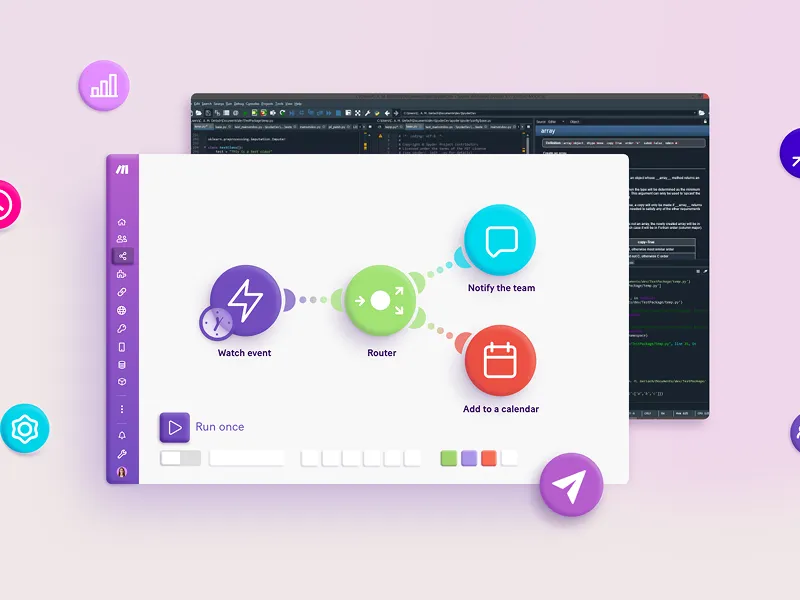
Buzzy AI Review: The Future of No-Code App Development
App development has traditionally been reserved for those with technical expertise, leaving non-coders feeling excluded from bringing their ideas to life. However, the landscape is rapidly changing. Enter Buzzy AI, a no-code platform aiming to make the app development process accessible, streamlined, and intuitive for everyone. Whether you're a small business owner or simply someone with a brilliant app idea, Buzzy AI offers the tools you need to develop functional and polished applications without having to write a single line of code. This article provides an in-depth look at how Buzzy AI is transforming the world of no-code app development in 2025. We’ll explore its features, pricing, benefits, and competitors to help you discover if it meets your needs. What is Buzzy AI? Buzzy AI is an advanced no-code platform that allows users to create fully functional apps through a simplified process. Designed to cater to non-technical individuals, Buzzy works like your personal app-developing assistant. It incorporates cutting-edge AI technology to bring your ideas from concept to reality with ease. No coding? No problem. Just describe your app idea in simple language, and Buzzy takes care of the rest. From designing simple productivity tools to building robust apps for business automation, Buzzy AI removes the biggest barriers to app development. The Vision Behind Buzzy AI Buzzy AI was created in 2014 by Adam Ginsburg, a tech visionary frustrated by the complexities of traditional app development. His mission was simple yet groundbreaking: to empower everyone, regardless of technical skills, to build smart, user-friendly applications. Further enhancing the no-code experience, Buzzy launched a Figma plugin in 2023, making app design-to-development conversions smoother than ever. With the seamless transition from UI design to functional apps, the plugin has become indispensable for many users. Key Benefits of Buzzy AI Why should you consider Buzzy AI for your app development needs? Here are the top benefits: No coding required: Democratizes app development by enabling anyone to create applications. AI-powered assistance: Users can describe their ideas in plain English, which artificial intelligence then translates into working apps. Faster turnaround: Significantly reduces development time compared to traditional methods. Cost-effective solutions: Save money by avoiding the need for professional developers, particularly for small businesses or startups. Seamless integration with design tools: Features like the Figma plugin simplify workflows for designers and developers alike. Customizable functionality: While accessible to non-coders, experienced developers can use the platform for advanced customization. Ongoing updates: Bug fixes are handled efficiently, making it easy to keep your apps up-to-date. Top Features of Buzzy AI What truly sets Buzzy AI apart are its innovative features that cater to users across various experience levels. Here’s a closer look: 1. Natural Language Processing (NLP) Buzzy AI uses advanced NLP technology, allowing you to explain your app idea in simple terms. The platform converts your descriptions into applications, eliminating the need for technical jargon. 2. Figma to App Conversion Already have a design in Figma? Buzzy AI’s Figma plugin enables you to transform your design into a functional app with pinpoint accuracy, closing the gap between aesthetics and usability. 3. AI-Powered Code Generation Buzzy generates clean, optimized code using artificial intelligence. It ensures that the apps you build are efficient and user-friendly. 4. Real-Time Collaboration Collaborate with your team seamlessly within the platform. Multiple users can work on the same project simultaneously, making development a collaborative experience. 5. Extensive Template Library Buzzy AI offers an impressive library of pre-designed templates for various use cases. This ensures you can jumpstart your project without having to start from scratch. Pricing Plans Buzzy AI offers flexible pricing tiers, making it accessible for a wide range of users. Free Plan: Ideal for individuals or small teams to explore the platform. Includes access to basic features and community support. Pro Plan ($15/month): Perfect for growing businesses. Offers advanced features, priority support, and access to premium templates. Enterprise Plan (Custom Pricing): Tailored for large organizations. Provides dedicated account management, custom integrations, and enterprise-level support. Pros and Cons Here’s a balanced view of Buzzy AI’s advantages and its limitations: Pros: Simplifies development for non-technical users. Saves time with rapid prototyping. Offers flexibility with advanced customization options. Cost-efficient compared to traditional app development. Cons: Steep learning curve for some features. Limited functionalities for highly complex applications. Requires stable internet connectivity. Alternatives of Buzzy AI If you’re exploring similar platforms, here are noteworthy competitors: Softr: Turns spreadsheets into apps and client portals seamlessly. Bubble: Known for its customization options but with a steeper learning curve. Glide: Focuses on mobile app development from Google Sheets. Adalo: A drag-and-drop platform for simple app creation. Softgen: Another AI-enabled tool for rapid no-code app creation. Personal Experience with Buzzy AI Our team used Buzzy AI for developing a workflow tool, and here’s what we loved: NLP made prototyping effortless, removing the coding barriers we would have faced otherwise. Real-time collaboration streamlined development, even with team members working remotely. Within hours, we had a functional app, ready to iterate based on feedback. Whether you're tech-savvy or not, Buzzy bridges the gap between creativity and functionality, living up to its no-code promise. Final Thoughts Buzzy AI embodies the future of no-code app development. Its AI-powered features, seamless integration tools, and affordability make it a game-changer for small businesses, entrepreneurs, and even larger enterprises. Want to explore what Buzzy AI can do for you? Sign up for a free trial today and empower yourself to create incredible apps without the stress of learning to code. Frequently Asked Questions What types of apps can I create with Buzzy AI? Anything from productivity tools and mobile games to complex enterprise applications and e-commerce platforms. Do I need coding experience to use Buzzy AI? Not at all! Buzzy is built to cater to users of all skill levels, making it perfect for non-technical individuals. Can Buzzy AI integrate with other platforms? Yes, it supports integrations with tools like Zapier to streamline workflows. Is Buzzy AI suitable for enterprise-level solutions? It’s a great fit for rapid prototyping. For large, complex applications, consider combining Buzzy with traditional development. How does Buzzy’s pricing work? It offers flexible pricing tiers, starting with a free trial, ensuring options for individuals, small businesses, and enterprises alike.

Discover 10 Best AI Stock Trading Bots (July 2025)
Artificial Intelligence (AI) is reshaping the stock trading world with unmatched speed, accuracy, and efficiency. These advancements have led to the creation of AI stock trading bots, tools designed to streamline the trading process, minimize errors, and maximize profitability. From eliminating human error to saving countless hours of manual analysis, these high-tech bots are revolutionizing the trading landscape.Below, we explore the 10 best AI stock trading bots that are helping traders at every experience level achieve better results.Trade IdeasTrade Ideas leads the pack as a robust AI-powered trading platform that connects directly to stock exchanges to analyze real-time data. Its flagship AI bot, Holly, provides intraday entry and exit signals powered by statistical models and risk management.Key FeaturesAI Algorithms: Analyze every market tick in real-time.Simulated Training: Beginners can practice trading without financial risk.Market Dashboard: Includes real-time insights, treemaps, and Stock Races for visualizing fast-moving trends.Picture-in-Picture Charts: Monitor multiple timeframes without clutter.Money Machine: Automatically identifies momentum stocks in real-time.💡 Exclusive Offer: Use the code UNITE25 for 25% off trading fees.Visit Trade Ideas →TrendSpiderTrendSpider is a state-of-the-art technical analysis platform that leverages machine learning. The AI Strategy Lab allows users to build and deploy trading strategies without any coding knowledge.Key FeaturesAI Strategy Lab: Build custom strategies for backtesting and scanning.Full Automation: Bots can automate trading actions based on specific conditions.Asset Flexibility: Support for stocks, ETFs, crypto, Forex, and more.Real-Time Alerts: Never miss an opportunity with automated notifications.Visit TrendSpider →IntellectiaA modern fintech platform launched in 2023, Intellectia is designed to democratize access to high-level financial insights. Backed by AI, it provides powerful technical analysis tools for both novice and expert traders.Key FeaturesComprehensive Analysis: 100+ technical indicators and financial news summarized by AI.Event Insights: Insider trade signals and analyst ratings displayed directly on price charts.Global Data: Access information from over 6,000 public companies.💡 Save Now: Use code UNITEAI for 36% off annual subscriptions.Visit Intellectia →SignmSignm provides superior trend analysis using machine learning, focusing on financial news and social sentiment. The platform continuously monitors millions of sources to help traders stay ahead.Key FeaturesNews & Social Analysis: Analyzes over 1,500 articles and 2 million social media posts daily.Sentiment Tracking: Tracks bullish and bearish market trends.Sentiment Scores: AI-calculated for improved decision-making.Visit Signm →SignalStackSignalStack automates trading by converting any external alert into an executed order within your brokerage account. This technology was once available only to hedge funds.Key FeaturesEase of Use: No coding required.Detailed Logs: Tracks transactions for transparency.Fast Execution: Converts trading signals into orders within milliseconds.Visit SignalStack →Stock HeroStock Hero empowers traders with a simulation platform to test strategies before deploying them in the real world. No coding skills are required to create bots.Key FeaturesCloud-Based for faster execution with lower latency.Flexible Backtesting across six timeframes.Bots Marketplace featuring bots built by seasoned traders.Visit Stock Hero →TickeronTickeron offers customizable bots and trend forecasting tools for traders who value real-time data. With its unique AI confidence levels, the platform is suited for cautious and aggressive traders alike.Key FeaturesAI Trend Forecasting based on historical data.Customizable Trading with configurable confidence levels.Pattern Recognition for spotting opportunities instantly.Visit Tickeron →ScanzScanz is perfect for day traders, offering real-time market scanning tools and one of the fastest financial news feeds in the industry.Key FeaturesPowerful Pre-Built Scans for jumpstarting your strategy.News Scanner for ultra-fast market-moving updates.Broker Integration with popular platforms like TD Ameritrade.Visit Scanz →Imperative ExecutionThis platform focuses on optimizing U.S. equities trading through automation and intelligent pricing systems.Key FeaturesIntelligenceCross for matching orders at optimal prices.ASPEN System to minimize market impact.Data-Driven Executions with IQX tools.Visit Imperative Execution →KavoutKavout integrates machine learning to provide insightful stock rankings. Its "Kai" AI system is key for filtering data and delivering actionable predictions.Key FeaturesKai Engine analyzes stock quotes and news at scale.Paper Trading Portfolio to test strategies risk-free.Market Analysis Tool for performance insights.Visit Kavout →Why AI Trading Bots MatterAI stock trading bots are transforming the trading ecosystem by enabling faster decision-making, reducing errors, and improving profitability. Whether you're a day trader or an experienced investor, there's an AI trading bot tailored to fit your needs.By leveraging these tools, traders can confidently operate in an increasingly competitive and data-driven market.Elevate your trading strategy today by exploring one of these highly-rated AI trading bots!

Descript vs Riverside: Which Video Editing Software Reigns Supreme in 2025?
When it comes to creating content that wows your audience, choosing the right video editing software is crucial. Descript and Riverside are two top contenders that promise an intuitive, efficient, and professional editing experience. Both platforms offer unique features tailored to content creators, but which one is the best fit for your needs? We’ve thoroughly tested both tools in real-world scenarios to deliver a comprehensive comparison. Whether you’re a podcaster, YouTuber, or someone dipping their toes into content creation, this guide will help you make an informed decision. Stick around as we unpack everything from pricing to standout features and usability. Overview of Descript and Riverside Gone are the days when editing software catered solely to seasoned professionals. Both Descript and Riverside make high-quality video and audio editing accessible even to beginners, albeit with slightly different focuses. What is Descript? Descript is a groundbreaking platform that redefines video editing with its AI-powered features. Think of it as an all-in-one creative suite combining transcription, video editing, and even voice cloning. It’s an excellent choice for creators who value versatility and advanced capabilities. Why Users Love Descript Overdub: Need to tweak audio? Add or replace voice lines with AI voice cloning. Studio Sound: Make any recording sound like it was captured in a professional studio. Filler Word Removal: Automatically remove "ums," "ahs," and other unwanted filler words for cleaner content. Descript Pricing Free Plan: Includes text-based editing, one transcription, and 720p exports with watermarks. Hobbyist Plan: $12/month for 10 hours of transcription, 1080p exports, and watermark-free content. Creator Plan: $24/month for 4K resolution, 30 hours of transcription, and access to a premium media library. What is Riverside? Riverside is a content creator’s dream for recording and editing remote interviews, podcasts, and webinars. Its focus is on high-quality recording, even with poor internet connections, ensuring your output is crystal clear. Why Users Love Riverside Magic Clips: Instantly generate shareable short clips, saving you hours of work. AI Speaker View: Automatically switches the focus to whoever is speaking, a perfect tool for panel discussions. Text-Based Editing: Edit video and audio simply by working on a text transcript. Riverside Pricing Free Plan: Record up to 2 hours/month. Standard Plan: $19/month for 5 hours/month of recording. Pro Plan: $29/month for 15 hours/month of recording. Business Plan: Contact Riverside for custom pricing. Feature Comparison: Descript vs Riverside To help you decide, here's how these platforms stack up in the key areas that matter most to content creators: 1. Ease of Use Descript: Its sleek, user-friendly interface mimics a word processor, making it intuitive for both beginners and pros. Riverside: Ideal for remote recording, though some users may find a slight learning curve in its text-based editing approach. 2. Audio and Video Editing Descript: Advanced AI features like Overdub, filler removal, and Studio Sound make editing smooth and efficient. You can even edit video and audio simultaneously by changing the transcript. Riverside: Provides excellent recording quality but lacks Descript’s robust editing capabilities. It’s more geared toward trimming and splitting rather than intricate edits. 3. Recording Capabilities Descript: Allows audio recording directly within the app, supports screen capture, and offers multi-track recording. Riverside: Excels in remote recording, delivering high-quality results even with shaky internet connections. 4. Transcription Accuracy Descript: Features highly accurate transcription in multiple languages, complete with editable transcripts. Riverside: Supports transcription but doesn’t achieve the same level of accuracy or functionality as Descript. 5. Collaboration Tools Descript: Ideal for team-based projects with features like real-time commenting, version control, and shared access. Riverside: Offers basic collaborative tools but doesn’t match the depth provided by Descript. 6. Export & Sharing Descript: Exports watermark-free videos in diverse formats and integrates seamlessly with social media platforms. Riverside: Offers social media-ready clips and supports straightforward sharing, although its export options are more basic compared to Descript. 7. Advanced Features Descript: Pushes the envelope with AI-powered tools like voice cloning, Studio Sound, and transcript-based editing. Riverside: Keeps things simple and functional but doesn’t offer the cutting-edge features seen in Descript. Which One Should You Choose? The best choice depends on your specific goals and workflow: Choose Descript if: You want a multi-faceted tool with AI features for advanced audio and video editing. It’s perfect for those who polish podcasts, create tutorials, or experiment with voice cloning. Choose Riverside if: Your primary focus is on high-quality remote recording for podcasts, webinars, or interviews, and you’re okay with simple editing. Tips for Choosing the Right Platform Before making a decision, consider the following: Skill Level: Descript is intuitive for beginners, while Riverside may require some adjustment for its unique tools. Key Features: Need AI tools like voice cloning? Go for Descript. Prefer Magic Clips for quick social media content? Riverside is your pick. Budget: Descript starts at $12/month, while Riverside’s pro features begin at $19/month. Future Needs: Evaluate whether the software can grow with your projects. Final Verdict For content creators who want cutting-edge AI-powered editing tools, Descript is the clear winner. Its range of features, intuitive workflow, and cost-effective plans make it a versatile choice for creators of all levels. However, Riverside is an excellent alternative for those prioritizing remote collaboration and high-quality recording capabilities. While it might not match Descript’s advanced editing tools, its strengths shine in interviews and podcasts. The best way to decide? Try both platforms for free and see which one aligns with your needs. Happy editing!

TealHQ Review: Can This AI Tool Improve Your Job Search?
Streamlining your search for the next big career move can feel overwhelming—but it doesn’t have to be. On average, job seekers spend 11 hours a week sifting through listings, perfecting resumes, and submitting applications. That’s the equivalent of nearly one and a half workdays every week! Enter TealHQ, the all-in-one AI-powered tool that promises to simplify and supercharge your job hunting experience. From an AI Resume Builder to its intuitive Job Tracker and Chrome extension, TealHQ provides essential tools to help job seekers save time, improve applications, and stay organized. This review breaks down TealHQ’s standout features, pros and cons, and why it has become a valuable career sidekick for thousands. What is TealHQ? TealHQ is more than just a job search platform; it’s a career development assistant powered by advanced AI. At its core, it simplifies the job application process, offering tech-savvy tools like: AI Resume Builder that crafts tailored resumes based on individual job descriptions. Job Tracking Dashboard that organizes and monitors all your applications in one place. Chrome Extension to bookmark and manage job opportunities from over 40 job boards seamlessly. Keyword Matching to boost resume compatibility and increase the likelihood of landing interviews. By combining these features into one easy-to-use platform, TealHQ empowers individuals to focus on what matters most—landing their dream job. What Makes TealHQ Unique? Here are some of TealHQ’s most valuable tools and how they elevate your job application game: AI Resume Builder Create targeted resumes in minutes by importing your existing resume or LinkedIn profile. TealHQ analyzes the structure and content, providing real-time suggestions for improvement: Resume Keyword Matching: Tailor resumes to specific job descriptions, ensuring they align with applicant tracking systems (ATS). Custom Design Options: Choose from a variety of modern templates or customize layouts to match your preferred style. Professional Analysis: Get instant feedback on structure, measurable results, and keyword use to strengthen your resume. AI Cover Letter Generator Save hours with TealHQ’s AI-powered cover letter tool: Create personalized, professional cover letters in seconds using prompts and job descriptions. Edit manually or use AI tools to refine your letters further, ensuring accuracy and a polished tone. Job Application Tracker Say goodbye to cluttered spreadsheets. TealHQ’s Job Tracker centralizes and organizes everything: Keep tabs on job postings, application stages, and deadlines. Boost your chances with job-specific to-do lists and follow-up templates. Manage recruiter and networking contacts directly through the platform. Chrome Extension Simplify your search with TealHQ’s browser extension: Bookmark jobs directly from LinkedIn, Indeed, or other job boards. Rate and categorize opportunities by excitement level or priority. Autofill job postings with saved details to save time. Networking & Insights Tools Build meaningful connections and make data-driven decisions: Save and organize LinkedIn profiles of important contacts. Access analytics and salary insights to negotiate with confidence. Pros and Cons of TealHQ Here’s a quick look at the advantages and potential drawbacks of using TealHQ: Pros All-in-One Career Platform: Streamlines the entire job search process from creating resumes to tracking applications. Efficiency: Reduce the time spent on routine tasks, such as tailoring resumes and tracking applications. Free Chrome Extension: Bookmark and save jobs across platforms with ease. Robust Free Plan: Offers unlimited resumes and job tracking without requiring upgrades. LinkedIn Optimization: Helps fine-tune your profile for better visibility and connections. Cons Basic Resume Templates: While functional and professional, the template variety may feel limited. AI Limitations: The content generated sometimes requires manual review for accuracy or personalization. Premium Cost: Advanced features on the paid plan may be pricey for job seekers on tight budgets. Who Should Use TealHQ? TealHQ’s flexibility makes it ideal for a wide range of users: Job Seekers aiming to land interviews faster with optimized resumes and application tracking. Freelancers managing multiple clients or short-term projects. Professionals Advancing Careers by leveraging tailored resources for promotions or lateral moves. Tech Industry Candidates, as TealHQ includes a dedicated portal for highly desired tech roles. Whether you’re a recent graduate, an experienced professional, or switching industries, TealHQ can help simplify the process. Getting Started with TealHQ Using TealHQ is intuitive, and you can start in just a few minutes: Steps: Create an Account: Sign up for free using your email or LinkedIn. Set Career Goals: Define your job preferences, target salary, and ideal titles. Build a Resume: Upload your work history or use LinkedIn to automatically generate an AI-optimized resume. Match Jobs: Attach job listings, and TealHQ will suggest keywords and refine your resume for better compatibility. Organize Search: Use the Job Tracker to manage opportunities and deadlines efficiently. Expand via Chrome Extension: Bookmark jobs and contacts while browsing major platforms like LinkedIn, Indeed, and Glassdoor. How Does TealHQ Compare to Competitors? If you’re wondering how TealHQ stacks up against other job tools, here’s an overview: VisualCV: Best for visually appealing resumes with advanced analytics on employer engagement. JobScan: Ideal for candidates who want ATS-friendly resumes optimized with granular keyword analysis. ResumeUp: Perfect for infographic-style resumes catered to creative professionals. While these platforms have distinct strengths, TealHQ shines in its all-in-one approach, balancing efficiency, organization, and ease of use. Verdict: Is TealHQ Right for You? TealHQ’s intuitive interface, robust free plan, and smart AI tools make it a game-changing resource for job seekers. Whether you’re tailoring applications or managing opportunities, its comprehensive features save time and boost efficiency. While premium options may add value for some, the free plan itself provides substantial benefits for most users. If you’re looking to take control of your career trajectory and reduce the overwhelm of job searching, TealHQ is definitely worth exploring.

GetMunch Review: Transform Long Videos into Short Clips with AI
Creating engaging short-form video content doesn't have to be a challenge. Imagine spending hours perfecting a long-form video, only to wonder how to repurpose it effectively for platforms like TikTok, Instagram, or YouTube Shorts. With 93% of businesses gaining new customers through social videos but only 9% confident in their editing process, there’s clearly a need for an efficient solution—that's where GetMunch comes in. This game-changing AI-powered tool allows you to convert long-format videos into shareable, ready-to-post clips in minutes. Here's everything you need to know about GetMunch, its key features, pros and cons, and how it compares to other tools to help you decide if it’s the right fit for your content strategy. What Is GetMunch? Founded in 2021 in Tel Aviv, Israel, GetMunch is an AI-driven video editing platform designed to turn long-form videos into short, engaging clips optimized for social media platforms. The platform uses advanced AI technologies, including GPT, OCR, and NLP, to analyze video content. These tools help the platform understand context, identify engaging moments, and create high-quality, platform-specific clips that resonate with audiences. How It Works: Content Analysis: The AI evaluates your video's audio and visuals to understand its context. Segment Extraction: It selects meaningful moments that can function as standalone clips. Caption Generation: Automatically creates captions for better accessibility and engagement. Keyword Suggestions: Recommends hashtags and keywords to boost video discoverability. Key Features of GetMunch AI-Powered Editing GetMunch’s AI automates video editing, making it easier for anyone to create dynamic, high-quality clips without advanced editing skills. Content Segmentation It breaks your long-form content into optimized, social-media-ready segments tailored to platforms like TikTok, Instagram, and YouTube Shorts. Caption and Subtitles GetMunch automatically generates captions in over 10 languages, improving accessibility and viewer retention. Marketing Insights The platform analyzes keywords, competitive content, and social trends to help you craft videos that resonate with your target audience. Easy Customization With options to alter subtitle styles, branding elements, and video templates, creators can maintain consistency with their brand identity. Multi-Platform Exports Export your clips for various platforms or share them directly via GetMunch's interface. Intuitive User Interface GetMunch’s design makes it accessible for beginners and experienced users alike, ensuring creativity is never hindered by complexity. Who Should Use GetMunch? GetMunch is ideal for: Content Creators looking to repurpose existing videos into trendy, high-performing short clips for social platforms. Businesses that want polished promotional videos without a large production team or advanced editing. Social Media Managers who need an efficient way to produce engaging content quickly. Educators and Trainers creating digestible learning videos from lengthy tutorials. Marketers seeking to boost a brand’s online presence with top-performing clips. Media Agencies needing high-volume, professional-grade video content. Benefits and Drawbacks Pros: Automates time-consuming video editing tasks. Supports 10+ languages for captions, catering to global audiences. Integrates marketing data to optimize clips for virality. Has an intuitive interface and robust AI-powered tools. Multi-platform exports and customizable templates make cross-posting seamless. Cons: Requires an internet connection to operate. Lacks advanced manual editing features for intricate projects. Does not offer a mobile app. Pricing may be steep for casual users. How to Use GetMunch in 10 Steps Here’s how GetMunch simplifies video editing: Create an Account on their website to access the platform. Start a New Project by clicking the "+" button. Select Your Platform for the video’s aspect ratio (e.g., TikTok, Instagram). Upload a Source Video via a link or file. Choose a Subtitle Style from various options to fit your video’s tone. Add Final Touches like music, clip length, and keywords. Upgrade to Pro, if necessary, for more advanced features. Process Clips, letting the AI generate multiple clip options for review. Edit Clips, using tools to refine caption styles, video structure, and branding elements. Export and Publish directly to social platforms or download for future use. Alternatives to GetMunch Vidyo Vidyo creates short clips with a focus on going viral. Its "Virality Predictor" evaluates each clip's potential popularity, but GetMunch’s trend insights make it the better option for marketers. Klap Klap has superior visual editing options like auto-reframing and supports 52 languages. However, GetMunch’s detailed analytics are better suited for data-driven campaigns. 2short An affordable tool for casual creators, 2short offers facial tracking and animated subtitles but lacks GetMunch's sophisticated AI and marketing insights. Pricing GetMunch offers three subscription tiers: Pro Plan ($49/month) - 200 uploaded minutes/month. Elite Plan ($116/month) - 500 uploaded minutes/month. Ultimate Plan ($220/month) - 1000 uploaded minutes/month. Annual plans are available at discounted rates. Final Verdict: Is GetMunch For You? If you’re a content creator, social media manager, or business professional looking for a reliable way to convert long-form videos into professional short clips, GetMunch is a standout option. While it may lack advanced manual editing capabilities, its ease of use, AI features, and marketing insights provide great value.
AI Content Creation
How to Use Slidesgo in 2025: A Step-by-Step Guide
Looking for a way to create professional presentations quickly and without the hassle? Slidesgo has become a go-to platform for selecting high-quality, customizable templates that can save you hours of design time. Whether it’s for a business meeting, classroom project, or creative portfolio, Slidesgo offers something for everyone. This complete guide will walk you through how to use Slidesgo, from getting started to leveraging its powerful AI tools. You’ll also learn about finding the perfect template, customizing your slides, and making your presentations stand out. What Is Slidesgo? Slidesgo is an online platform that offers thousands of eye-catching, user-friendly templates for Google Slides and Microsoft PowerPoint. Designed for accessibility and efficiency, Slidesgo caters to a wide variety of content needs, including business proposals, educational materials, and creative slide decks. Why Use Slidesgo? Many users choose Slidesgo because it balances quality and ease. Here’s why it’s worth your time: Save Time: Slidesgo saves hours of design work with its pre-made templates. Creative Variety: Choose from thousands of templates in versatile styles and formats. Customizability: Adapt the templates to fit your unique needs, whether personal or professional. AI Features: Slidesgo’s AI tools generate slides based on your input, making it even easier to create professional presentations. Getting Started with Slidesgo Finding Slidesgo on the Web To get started, simply open your preferred browser like Chrome, Firefox, or Safari. Type “Slidesgo” into the search bar of your favorite search engine (Google, Bing, etc.), and click the top result. Once on the homepage, you’ll find an array of attractive template examples ready to explore. Setting Up Your Slidesgo Account While you can browse and download templates without an account, creating one gives you added benefits like saving your favorite templates. To sign up: Click the “Sign Up” or “Register” button, usually in the upper-right corner. Fill in your email address and create a secure password. Think of it like having a library card for the world of templates. Navigating the Homepage The Slidesgo homepage acts as a gateway to its vast collection. Here are some tips to get the most from your browsing experience: Search Bar: Type in keywords like “business pitch,” “science project,” or “minimalist design” to quickly locate themes. Categories: Explore a range of categories like Business, Education, and Creative Projects to discover templates tailored to your specific needs. Each category functions like an aisle in a store, guiding you seamlessly through your options. Finding and Choosing the Right Template Searching Templates by Topic Not sure where to start? Use the search bar to find templates related to your topic. For instance: For a school project, try keywords like “education template”. For a creative project, search for “portfolio presentation”. Exploring Template Styles Templates range from bright and playful to sleek and professional, depending on your needs: Bright and Colorful templates work well for exciting or creative presentations. Clean and Minimalist designs are perfect for business or academic settings. Think about the tone and message of your project before selecting a template. Previewing Templates Before downloading, preview the slides by clicking on any template. Scroll through to check: Layout options Compatibility with your content Aesthetic fit for your topic The preview ensures the template aligns with your goals before you commit. Downloading and Customizing Templates Downloading the Template Once you've picked a template: Click the download button for either Google Slides or PowerPoint. Save the file to your computer. The template will typically appear in your downloads folder. Opening the Template If using Google Slides, upload the file to your Google Drive and open it from there. For PowerPoint, simply double-click the downloaded file to begin editing. Customizing Your Template Here’s where Slidesgo shines: Edit Text: Click text boxes to add your content. Replace Images: Drag and drop images or upload them using the “Insert” option. Adjust Colors: Use the built-in color tools to align slides with your brand or theme. Working with Layouts You have the flexibility to reorganize slides: Right-click and select “Layout” to switch to pre-designed slide options. Use the Master Slide option to make universal changes across all slides. Leveraging Slidesgo’s AI Tools Slidesgo’s AI-powered features simplify your workflow and take slide design to the next level. Using AI to Generate Slides Look for the AI section in the editor. Input a topic such as “Global Marketing Trends” or “Basics of Biology.” The AI will craft a slide deck with text, images, and design layouts automatically. Tips for Effective AI Use Review Content: AI-generated slides may require minimal tweaking for accuracy. Personalize to your preferences, adding specific data or visuals. Slidesgo Alternatives If you’d like to explore options beyond Slidesgo, here are some popular alternatives: Beautiful AI for smart, automated presentations. Canva for versatile and easily customizable designs. Prezi for non-linear, conversational slide presentations. Pitch for team collaborations. Frequently Asked Questions Is Slidesgo Free? Many templates on Slidesgo are free to download. Premium templates are available for users seeking exclusive designs. Can I Use Slidesgo Templates with Google Slides? Yes. Slidesgo offers compatibility with both Google Slides and Microsoft PowerPoint. How Do I Customize Colors? Click any shape or text box to access color options in your editor and modify the style as desired. Are There Templates for Specific Topics? Absolutely. Popular categories include Business, Education, and Creative Designs. Final Thoughts Slidesgo takes the headache out of creating clean, professional presentations. With its diverse template library and time-saving AI features, it’s a game-changer for anyone looking to design like a pro. Why start from scratch? Try Slidesgo for free today!

Musicfy vs Kits AI: The Best AI Voice Song Showdown
Creativity no longer requires mastering musical instruments or vocals thanks to AI-powered tools like Musicfy and Kits AI. These platforms make music creation accessible by helping you generate songs with realistic vocals, even if you’re new to music production. But which tool is better for your needs? We’ve tested both platforms extensively and broken down their features, pricing, and strengths to help you decide. Musicfy vs Kits AI Overview Both Musicfy and Kits AI use cutting-edge artificial intelligence to simplify song creation. However, they target slightly different audiences and needs. Musicfy focuses on simplicity and ease of use for beginners. Kits AI offers advanced features and customization options suitable for professional music creators. By comparing key aspects like AI voice generation, vocal customization, and pricing, we’ll help you choose the best platform for your musical ambitions. What is Musicfy? Musicfy is an easy-to-use AI music creation platform tailored for those new to songwriting. You can create original tracks with realistic vocals without technical knowledge or musical training. Key Benefits of Musicfy Wide Style Selection: Choose from over 50 genres, including pop, rock, and electronic. AI-Powered Vocal Generation: Generate realistic vocals with customizable styles and effects. User-Friendly Interface: The platform is designed to be accessible to everyone, even beginners. Royalty-Free Music: Use your creations freely for personal or commercial projects. Pricing for Musicfy Starter Plan ($9/month): 500 song generations, standard speed, two custom voices. Professional Plan ($25/month): Unlimited generations, six custom voices. Studio Plan ($70/month): Unlimited generations at the fastest speed, 30 custom voices. What is Kits AI? For creators seeking greater flexibility and advanced tools, Kits AI is a powerful option. It uses cutting-edge AI to generate entire songs with unparalleled vocal and instrumental customization. Key Benefits of Kits AI Extensive Voice Library: Access over 100 unique AI-generated voices. Advanced Vocal Effects: Add reverb, delay, and more to polish your tracks. Voice Cloning: Create a digital twin of your own voice for a personalized touch. Stem Separation: Isolate vocals or instruments for mixing and perfecting your songs. Pricing for Kits AI Converter Plan ($9.99/month): Includes two custom voice slots and 30 minutes of downloads. Creator Plan ($24.99/month): Five custom voice slots and unlimited downloads. Compose Plan ($59.99/month): 12 custom voice slots, unlimited downloads, and advanced AI features. Musicfy vs Kits AI: Feature Comparison AI Voice Generation Both platforms excel in generating realistic AI vocals. However, Kits AI’s larger library of 100+ voice models offers more variety compared to Musicfy's smaller selection. AI Voice Cloning Kits AI stands out with its ability to create custom voice clones. This feature enables personalized creations by mimicking your voice or someone else’s. Musicfy lacks this capability. Vocal Customization While both platforms allow some vocal adjustments, Kits AI provides more in-depth tools, letting you tweak pitch, tone, and vibrato for more precise results. Music Styles and Genres Musicfy focuses on broad, popular genres, making it ideal for mainstream music projects. Kits AI caters to more niche styles, giving professional creators a wider palette to work with. Text-to-Music Feature Kits AI lets you generate melodies and full songs from simple text prompts, offering more control over the music creation process. Musicfy primarily focuses on vocal generation, limiting instrumental customization. Ease of Use Musicfy’s simple, intuitive interface is ideal for beginners. Kits AI’s advanced features come with a steeper learning curve, which may feel overwhelming to new users. AI Model Training Only Kits AI allows users to train custom AI voice models, offering unparalleled control for advanced creators. Musicfy lacks this feature but compensates with its ease of use. Choosing the Right AI Voice Song Generator When selecting a tool, consider the following factors to align with your needs: Skill Level: Beginners may find Musicfy’s simplicity more appealing, while experienced creators can explore Kits AI’s advanced options. Customization Needs: Choose Kits AI if you prioritize flexibility, like voice cloning and detailed parameter adjustments. Budget: Both platforms are affordable, but their pricing plans vary based on the features offered. Creative Goals: If you need basic song creation without intricate design, Musicfy is ideal. For professional-level control, Kits AI is the way to go. Final Verdict Both platforms shine in specific areas, catering to different audiences: Choose Musicfy if you’re new to music creation, looking for a user-friendly platform to create simple yet high-quality tracks. Go with Kits AI if you require advanced tools, a massive voice library, and features like voice cloning for in-depth customization. No matter which platform you choose, both Musicfy and Kits AI can help turn your musical ideas into professional tracks. Explore these tools today and decide which one fits your creative vision best! Frequently Asked Questions Can I use AI-generated songs for commercial purposes? Yes, both Musicfy and Kits AI allow commercial use of AI-generated songs. Are the platforms beginner-friendly? Musicfy is beginner-friendly with an intuitive design. Kits AI, while powerful, may feel more complex for first-timers. Do these tools require software installation? No, both platforms are web-based and accessible via any modern browser. Can I upload existing music into these platforms? Currently, neither platform allows users to upload their music. You’ll need to use the built-in tools and libraries. Is there a limit to the songs I can create? Musicfy offers unlimited song creation with higher-tier plans. Kits AI imposes limits based on subscription plans. Choose the AI music platform that resonates with your musical needs, and take your songwriting to unprecedented heights!

VideoLeap vs CapCut: Choosing the Best AI Video Editor
Creating engaging, polished video content is no longer limited to professional filmmakers. Apps like VideoLeap and CapCut have simplified video editing, putting powerful tools in the hands of everyday content creators. But if you’ve been asking, Which is the better AI video editor for me?, we’ve got you covered. This guide compares both apps to help you decide based on your needs, whether you're a beginner or a seasoned creator. Overview of VideoLeap and CapCut Both VideoLeap and CapCut are popular mobile video editing apps that cater to different levels of expertise. While CapCut leans towards simplicity and trendiness, VideoLeap focuses on offering advanced editing capabilities in a user-friendly environment. Let's examine how they stack up by breaking down their features, usability, pricing, and more. What is VideoLeap? Developed by Lightricks (the team behind Facetune), VideoLeap is a robust video editing app designed for those seeking professional-level tools on their mobile device. With features like multi-layer editing, AI-driven tools, and advanced effects, it's perfect for creators who want complete control over their videos. Key Features of VideoLeap Pro-Level Editing Tools: Trim videos frame-by-frame, layer multiple tracks, and make intricate adjustments. AI-Powered Effects: Features like object removal and automated effects simplify complex edits. Sound Design: Adjust audio levels, add sound effects, and seamlessly perform voiceovers. Pricing: Free trial available (7 days) Subscription plans start at $9.99/month Pros: Intuitive interface with professional-grade tools AI-powered capabilities for advanced edits Creative control with customizable options Cross-platform compatibility Cons: Limited free version Subscription-based model may not suit all budgets Steeper learning curve for advanced features What is CapCut? Owned by ByteDance (the creators of TikTok), CapCut is highly favored among TikTokers and social media creators for its ease of use and trendy features. Its approachable design and extensive library of filters and templates make it ideal for quick edits on the go. Key Features of CapCut Beginner-Friendly Interface: Perfect for users with little to no editing experience. Templates Galore: Transform your videos with its vast library of pre-made templates. AI Tools: Features like auto-captions and background removal simplify content creation. Pricing: Free plan with most features included Subscription plans start at $25.99/month for additional credits and storage options Pros: Accessible for beginners and casual creators Offers trendy effects and frequently updated templates Free version provides robust features Cons: Ads in the free version Subscription needed for advanced tools Lacks the depth and customizability of desktop software Feature Comparison: Key Differences Between VideoLeap and CapCut Ease of Use CapCut: Extremely beginner-friendly with a straightforward and intuitive interface. Great for users who want quick, no-hassle edits. VideoLeap: Offers a balance of usability and complexity, catering to creators who want more control and are willing to spend time mastering advanced tools. Basic Editing Features Both apps handle trimming, cutting, and combining clips effortlessly. CapCut: Simplifies workflows for social media edits, perfect for TikTok or Instagram content. VideoLeap: Shines in layering and complex adjustments, making it a better choice for projects requiring more precision. AI Video Features VideoLeap: Incorporates AI tools like object removal and automated effects in its premium version. CapCut: Provides free AI features like auto-captions and background removal, making it accessible to a larger audience. Trendy Filters & Effects CapCut: Excels with a library constantly updated to reflect the latest social media trends. VideoLeap: Offers high-quality effects and filters but updates may lag behind viral trends. Sound Design and Music CapCut: Includes a vast library of sound effects and music pre-cleared for social media use. VideoLeap: Provides advanced audio editing with options to layer sounds, adjust volume, and even extract audio from video clips. Green Screen & Background Manipulation Both apps include green screen capabilities. CapCut: Makes background replacement seamless for quick social content creation. VideoLeap: Allows more advanced layering for detailed background editing and visual effects. Precision Editing (Frame-by-Frame) VideoLeap: Gives creators granular control with its timeline and layering system, perfect for intricate edits. CapCut: Suitable for quick cuts but doesn’t offer the same depth of precision as VideoLeap. Which Should You Choose? Final Verdict If you're just starting out and want an easy-to-use editor for creating social media content quickly, CapCut is the obvious choice. Its free plan offers robust features for newcomers, and the app's focus on trending templates ensures your content stays relevant. On the other hand, if you're ready to level up your editing game with more complex tools, VideoLeap is worth the investment. From advanced layering options to AI-powered effects, it gives you everything you need to create polished and professional videos. Still on the fence? Why not try both? Take advantage of VideoLeap’s free trial or download CapCut’s free version. Feel the tools in action and see which app aligns with your creative needs. Frequently Asked Questions Is CapCut free to use? Yes, CapCut offers a highly capable free version with features like auto-captions and filters. For advanced tools, a Pro plan is available. Which is better for beginners? CapCut is better for beginners due to its intuitive interface and pre-made templates. VideoLeap is a better match for creators with prior editing experience. Can I use these apps on my phone? Yes! Both VideoLeap and CapCut are mobile-friendly apps available on iOS and Android. Which app offers better AI features? Both apps have excellent AI tools. CapCut’s auto-captions and background removal are free, while VideoLeap offers powerful premium tools like object removal and AI effects. With these insights, you now have the tools to choose the best AI video editor for your projects. Start creating stunning content today!

How to Use Synthesys AI in 2024: Step-by-Step Tutorial
Ever thought about making professional videos without the hassle of a film crew or learning complicated editing software? Enter Synthesys AI, your simple solution to creating videos that look amazing and are easy to make. Whether you want to create an explainer video, educational content, or unique social media clips, this guide will walk you through everything you need to know about using Synthesys. From getting started with the platform to unlocking advanced features, you’ll quickly master how to create impactful videos in just a few clicks. Getting Started with Synthesys AI Starting with Synthesys is quick and straightforward. Follow these steps to get your account ready and explore its intuitive dashboard. Step 1: Create Your Account Head over to the Synthesys website and sign up for an account. You’ll find different pricing plans tailored for various needs: Basic Plan for beginners. Pro Plan for those needing advanced features. Choose a plan that suits your needs. Think of it like choosing between a small pizza or a family-sized one; pick what fits your appetite for features. Step 2: Navigate the Dashboard Once logged in, you’ll be greeted by the Synthesys dashboard, your command center. Here’s a breakdown of key sections: Templates: Choose from pre-designed layouts to save time on setup. Avatars: Select from over 140 AI actors to star in your video. Media Library: Store your images, music, and videos for easy access. It might seem like a lot at first, but the user-friendly design makes the dashboard easy to use even for beginners. Creating Your First Video on Synthesys Now that you’re set up, it’s time to create your first video! Follow these steps to bring your vision to life: Choose a Template or Start Fresh You have two options: Use ready-made templates for a quick start. These are great for beginners and save time. Start from scratch if you’ve got specific ideas in mind. Templates work like shortcuts, allowing you to focus more on content and less on design. Write Your Script Your video’s script is where your story begins. Keep these tips in mind: Write short, engaging sentences as though texting a friend. Include a clear call to action (e.g., “Visit our website for more information!”). Ensure your script has a start, middle, and end for clarity and flow. Select Your AI Avatar Choosing an avatar is where Synthesys becomes truly fun. Browse through their wide selection: Male or female avatars of different ages. Outfits tailored to specific themes (e.g., chefs, instructors, or corporate professionals). For example, if you’re producing content about cooking, the chef avatar is a perfect choice. Add a Voice Decide how your avatar speaks: Choose from Synthesys’s AI-generated voices available in multiple languages. Adjust the speed and pitch to match the tone of your video. You can also upload your own voice recordings for an added personal touch. Enhance with Media Want to level up your video? Add: Images, video clips, and music from the media library. Custom assets you’ve created, ensuring you have proper usage rights. The right visuals and audio can dramatically increase your video’s impact on your audience. Polish Your Final Product Fine-tune your video: Adjust colors, add transitions, and include visual effects. Check video resolution and quality to ensure it looks great on any platform. Once done, preview your masterpiece before finalizing. Advanced Features in Synthesys AI Feeling confident? Explore these advanced options to elevate your videos even further: Personalized Avatars Want avatars that truly stand out? Customize: Clothing and accessories to align with your branding or theme. Hairstyles and colors for unique character designs. Dynamic Scenes Add multiple scenes to your video: Each scene can use different avatars and backgrounds. Think of it as creating chapters in a storybook to keep your viewers hooked. Mood-Enhancing Music Set the tone with background music or sound effects: Browse the built-in audio library for free options. Upload your own royalty-free tracks for a personalized vibe. Comprehensive Settings Control video specs by tweaking: Video resolution and dimensions for different platforms (e.g., Instagram vs. YouTube). Play speed and timing to synchronize all elements seamlessly. Exporting and Sharing Your Synthesys Video Now that your video is complete, it’s time to share it with the world. Save and Download Select your preferred quality settings: Standard for lightweight, web-friendly videos. High Resolution for professional presentations. You can directly download the video to your device or export it for social media channels. Platform Sharing Decide where to share: YouTube for longer-form videos. TikTok or Instagram Reels for short, snappy posts. Consider your audience to optimize your video’s impact. Tips for Success To truly excel with Synthesys, keep these best practices in mind: Plan Ahead: Sketch out what you want your video to communicate before starting. Experiment: Test different avatars, voices, and templates. Optimize for the Platform: Each platform has its own style. Customize the format and length accordingly. Leverage Analytics: Use your platform’s insights to understand how well your video performs and iterate for future projects. Who Can Benefit from Synthesys? Here’s who should consider Synthesys: Teachers looking to create engaging lesson videos. Marketers wanting to elevate ads or explainer content. Small Businesses aiming to engage audiences with minimal resources. Content Creators needing visually stunning social media videos. Seriously, anyone with ideas can use Synthesys. The sky’s the limit! Exploring Other AI Video Tools While Synthesys is packed with features, you might also explore these alternatives: Synthesia for lifelike avatars and multi-language options. Veed.io for diverse editing tools paired with AI features. Fliki if you need fast text-to-video conversion. Final Thoughts Synthesys opens the door for anyone to create professional-grade videos without needing a film studio or extensive editing skills. By combining ease of use with powerful customization options, Synthesys empowers creators and businesses to bring their ideas to life. What will you create next? The possibilities are endless. Start experimenting, and you might just surprise yourself with what you can achieve. Try Synthesys for Free Now
Submagic Review: Is It the Best AI Subtitle Generator?
Creating engaging content for platforms like TikTok, Instagram Reels, and YouTube Shorts demands time and precision. For content creators, influencers, and businesses, trimming videos, adding captions, and ensuring social media optimization can be daunting. Enter Submagic, an AI-powered video editing tool designed to save time while delivering professionally crafted short-form videos. But how does it stack up against the competition? This review will explore Submagic’s standout features, its pros and cons, how it works, who it’s best suited for, and how it compares to alternatives like Capcut, VEED.IO, and Pictory. By the end, you'll know whether Submagic is the video editing solution your workflow needs. What is Submagic? Submagic is an AI video editing platform that analyzes long-form video content and turns it into polished short-form clips tailored for social platforms such as TikTok and Instagram. The tool incorporates AI to create engaging captions, seamless trims, and visually dynamic B-rolls, saving hours of editing time. With the recent rollout of Submagic 2.0, the platform offers faster uploads, smoother exports, and a simplified interface, making video editing accessible to users of all experience levels. Key Features of Submagic AI Clip Maker: Automatically identifies and extracts the most engaging portions of your long videos. Auto-Subtitles: Generates highly accurate captions in over 50 languages, adding accessibility to your content. B-Roll Suggestions: Recommends royalty-free B-roll clips based on the context of your video content. Remove Filler Words: Cleans up your audio by cutting “ums” and “uhs” for a more professional finish. Dynamic Transitions and Zooms: Keeps viewers engaged with smooth transitions and zoom effects. SRT File Export: Download caption files to repurpose your subtitles for other platforms easily. Custom Branding Options: Add logos, text overlays, and branding elements directly to your video. 4K and 60fps Export: High-resolution exports for crisp, professional-quality videos (higher-tier plans). Captions and Emojis: Vibrant animations and captions that make content more visually appealing. Pros and Cons of Submagic Pros: Efficiency: Automates tedious processes like trimming clips and adding captions. Accessibility: Offers watermark-free videos even on the basic plan. Multilingual Support: Translates and generates captions in multiple languages. Cost-Effective: Budget-friendly options for creators and small businesses. Intuitive Design: Easy-to-navigate interface for both beginners and experts. Cons: Feature Limitations on Entry Plans: No 4K export or advanced tools like premium B-roll on lower-tier plans. Restrictions on Output Length: Entry plans limit videos to two minutes. Limited Templates: Fewer customization options compared to premium editors. Monthly Cap: The Starter Plan restricts users to 15 videos per month. Who is Submagic For? Submagic is ideal for those who want to create engaging short-form content without spending hours on editing. Here's who benefits the most from it: Content Creators & Influencers: Optimize platforms like Instagram Reels or TikTok with captivating, ready-to-post videos. Small Businesses: Easily produce high-quality content for advertising campaigns without hiring full-time editors. Podcasters: Transform interviews and discussions into shareable video snippets. Agencies: Manage multiple client accounts efficiently by streamlining video editing tasks. How to Use Submagic Getting started with Submagic is seamless. Here’s a step-by-step guide to creating clips: Step 1. Sign Up Visit Submagic’s website and click “Try for Free.” You’ll be guided to a simple dashboard. Step 2. Choose Your Project From the dashboard, select whether you want to generate captions or create "magic clips" (automated short clips from longer videos). Step 3. Upload Your Video Upload an MP4 or MOV file, paste a YouTube URL, or try a sample video to start editing. Step 4. AI-Generated Clips Submagic does the heavy lifting by extracting key moments from your video in less than 15 minutes. Clips include animated captions and a virality score rating. Step 5. Customize Trim unwanted parts, choose zoom effects, and add captions or dynamic B-rolls. You can even use AI features like “Magic Zoom.” Step 6. Export Finalize your edits and export videos in up to 4K quality, depending on the plan. Pro tip: Download SRT caption files for universal compatibility across platforms. Submagic Alternatives While Submagic excels in AI automation for short-form videos, some competitors may better suit different needs. Here’s a quick comparison: Capcut: Best for detailed editing with features like voiceovers and green screen effects. Offers advanced templates and multi-layer editing but lacks automation for tasks like B-roll. VEED.IO: A browser-based editor ideal for teams. Includes AI translation and branding tools, but its interface may feel overwhelming to solo users. Pictory: Excellent for repurposing blogs into videos or text-to-video features. Perfect for marketers focused on long-to-short video conversions. Is Submagic Worth It? If you’re seeking a one-click solution to transform long-form videos into content optimized for YouTube Shorts, Instagram Reels, or TikTok, Submagic is worth the investment. Its AI-driven efficiency and ease of use make it perfect for solopreneurs or small teams needing quick turnaround times. However, for users who prioritize customization, advanced visual effects, and in-depth templates, platforms like Capcut or VEED.IO may offer a better fit. Final Verdict Submagic is a must-try tool that simplifies content creation for social media. By automating time-consuming tasks, it enables creators to focus on storytelling and audience engagement rather than monotonous editing. With a free trial available, there’s no risk in giving it a go. Why not see if Submagic’s AI features are the game-changer your workflow has been missing? Try Submagic Today!
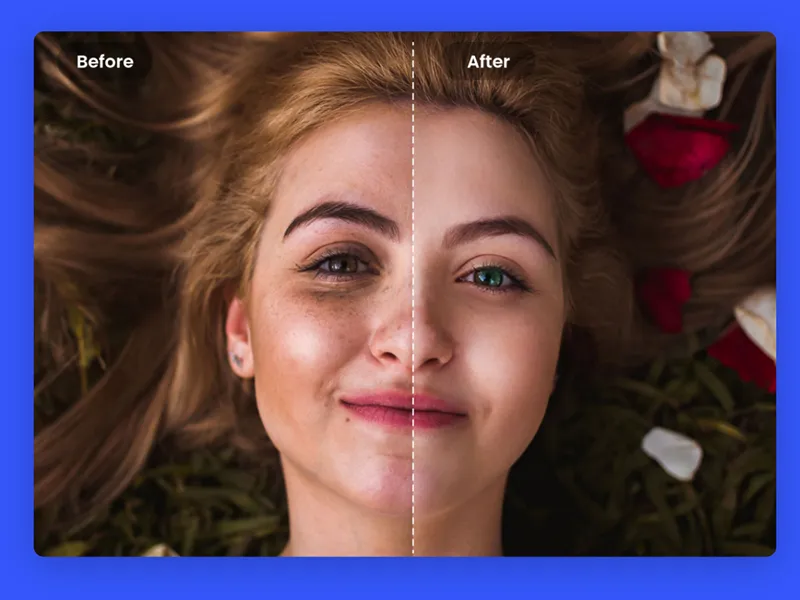
Fotor Review: Is It the Best Online Photo Editor for You?
Photo editing has become an essential skill, whether you're a professional graphic designer or just looking to spruce up your social media posts. But finding a user-friendly, feature-packed editing platform without breaking the bank can be a challenge. Enter Fotor, a versatile online photo editing tool that promises to simplify creativity with its intuitive interface and powerful AI-driven features. Does Fotor truly deliver on its promises? This review will explore its features, benefits, pricing, and alternatives, helping you decide if Fotor deserves a place in your creative toolkit. What is Fotor? Think of Fotor as your virtual photo editing workshop. Launched in 2012 by Xiaochun Zhang, the platform aims to bring advanced editing tools to users of all skill levels, from beginners to pros. Whether you're cropping, enhancing colors, or creating stunning AI-generated art, Fotor makes the process seamless and beginner-friendly. Fotor is loaded with features, including: An AI Photo Enhancer to instantly clarify blurry photos or adjust colors. A Creative Design Hub with templates and design tools. Mobile App Support, so you can edit anytime, anywhere. Why Choose Fotor? Top Benefits Highlighted Here’s why over a million users trust Fotor for their photo editing needs: 1. AI-Powered Enhancements Fotor’s AI features streamline photo editing with tools that: Remove blemishes and unwanted objects. Enhance lighting and colors automatically. Improve blurry images, making them crisp and clear. 2. Beginner-Friendly Interface New to photo editing? Fotor’s intuitive layout helps you get started quickly. All tools are easily accessible, eliminating the steep learning curve common with professional software. 3. Artistic AI Effects Transform ordinary images into captivating works of art with styles inspired by anime and other creative formats. Just a few clicks turn your photos into something truly unique. 4. Collage Maker Whether you’re organizing family photos or creating a professional portfolio, Fotor offers customizable templates to design eye-catching collages with ease. 5. Versatile Editing Options From basic adjustments like cropping and resizing to advanced features like background removal and text overlays, Fotor gives you full creative control. 6. Cloud Storage and Collaboration Save your work online and collaborate with teammates or clients effortlessly. Fotor’s cloud storage keeps your projects accessible across devices. 7. Affordable Pricing Fotor offers both free and premium plans, making professional-level editing accessible to all. The Best Features of Fotor Fotor stands out through its combination of easy-to-use tools and cutting-edge technology: Background Removal Want to place your subject against a tropical beach or an abstract design? Fotor’s background removal tool lets you isolate elements and swap settings with precision. AI Photo Enhancer Using artificial intelligence, Fotor can repair photos in seconds, improving sharpness, brightness, and vibrancy automatically. AI Image Generator Enter a text description, and Fotor’s AI will create a custom image tailored to your vision. Whether for marketing or personal projects, this tool makes unique visuals effortlessly. Customizable Templates Need fresh ideas for social media posts or invitations? Fotor’s professional templates can be customized to match your branding or personal style. Mobile and Web Accessibility With apps for iOS and Android, Fotor brings your creativity to your fingertips, ensuring you can edit on-the-go. Pricing Plans Fotor provides flexible pricing to suit various users: The Free plan, available at no cost, includes basic editing features and limited cloud storage. For those looking for more advanced tools, the Pro plan is priced at $8.99 per month and includes advanced editing tools, access to extra effects, and additional design features. For an enhanced experience, the Pro+ plan costs $19.99 per month and provides all the Pro features along with increased cloud storage and access to premium content. The free version is a great starting point, while the paid plans unlock advanced tools for professional needs. Pros and Cons of Fotor Understanding the advantages and limitations helps determine if Fotor is right for you: Pros Beginner-friendly interface. Powerful AI tools. Affordable pricing plans. Mobile access for on-the-go editing. Regular updates and new features. Cons Limited tools in the free plan. Occasional slow processing on large files. Some advanced features may feel overwhelming for beginners. Alternatives to Fotor While Fotor is an excellent all-in-one solution, here are other platforms worth considering: Canva: Best for creating graphics and social posts with templates. Pixlr: Great for users seeking more control over their edits. Adobe Photoshop: Ideal for professional photographers and designers. GIMP: A free, open-source tool offering advanced functionality. Snapseed: Perfect for simple, mobile-first photo editing. Personal Experience With Fotor Our team recently used Fotor to create promotional materials for a product launch. The experience was seamless, thanks to features like the background removal tool, which saved hours of manual editing. The AI Photo Enhancer elevated our product photos, making them look professional and visually appealing. Even our team members with minimal design experience found Fotor easy to use, thanks to its simple interface and readily available templates. Final Thoughts on Fotor Fotor delivers a remarkable combination of simplicity, power, and affordability, making it a strong contender in the world of online photo editors. Whether you’re new to photo editing or are looking for a tool to streamline your design process, Fotor has something to offer. Should you try it? Absolutely. With a free plan available, there’s no risk in exploring how Fotor can transform your creative projects. Try Fotor for Free today and experience the difference for yourself. FAQ What is Fotor’s AI image generator? The AI Image Generator creates custom visuals based on your text input, offering endless creative possibilities. Can I use Fotor for free? Yes! The free plan provides basic editing tools, while Pro and Pro+ plans unlock advanced features. Is Fotor good for beginners? Absolutely. Its easy-to-navigate interface is perfect for first-time editors. Can I use Fotor on my phone? Yes, Fotor’s mobile app is available for both iOS and Android devices, allowing you to edit photos on-the-go. What are the system requirements for Fotor? Fotor is web-based and accessible via any device with an internet connection and modern browser.

Relevance AI Review: Can AI Agents Transform Workforce Efficiency?
What if you could grow your team without hiring a single new employee? What if your existing staff focused on high-value tasks while AI-based agents tackled repetitive and time-consuming jobs? With Relevance AI, these possibilities are no longer theoretical but a revolutionary reality for business operations. What is Relevance AI? Relevance AI is a no-code platform designed to help businesses create and manage AI agents without extensive technical expertise. These agents automate tasks across various business functions—including sales, marketing, customer service, and operations. Founded in 2020 and boasting $10 million in Series A funding, Relevance AI has emerged as a leader in democratizing artificial intelligence. The platform stands out for its user-friendly interface, robust integration capabilities, and focus on data security. Whether you want to streamline workflows, personalize customer interactions, or scale operations cost-effectively, Relevance AI bridges the gap between technical complexity and practical usability. Key Features of Relevance AI Relevance AI offers several standout features that make it an ideal tool for businesses of all sizes: AI Agents Benefit from autonomous agents that handle tasks like lead management, customer inquiries, and research. No-Code Interface Build and deploy AI-driven workflows effortlessly, regardless of your technical background. Customizability Tailor instructions, integrations, and agent workflows to suit specific business needs. Seamless Integrations Supports popular tools like Salesforce, HubSpot, and Zapier to easily fit into existing tech ecosystems. Data Security With SOC 2 Type II certification and GDPR compliance, Relevance AI prioritizes data privacy. Multi-Model AI Support Choose between multiple AI models to optimize performance for specific tasks. Scalability Quickly expand automation with multiple agents as your business needs evolve. Who Can Benefit from Relevance AI? Relevance AI is designed for non-technical users as well as tech-savvy professionals looking for streamlined AI solutions. It caters to: Small and mid-sized businesses seeking cost-effective automation. Marketing and sales teams looking to hyper-personalize customer interactions. Companies using tools like HubSpot and Salesforce, ensuring easy integration. Professionals aiming to scale operations without increasing staff count. Teams across industries—from customer support to product development. If your business processes involve repetitive tasks or data-driven decisions, Relevance AI is worth considering. How to Create an AI Agent with Relevance AI Follow these steps to create your first AI agent using Relevance AI: Sign Up and Explore the Dashboard Start by creating a free account. Familiarize yourself with the intuitive dashboard, agent templates, and helpful tutorials. Create an AI Agent Choose “New Agent” from the dashboard and add a name, avatar, and description. Add Integrations Connect tools like HubSpot or Salesforce to enable your agent to receive and process tasks automatically. Provide Core Instructions Define the agent's role and behavior with simple language inputs and examples. Enhance with Tools Provide capabilities like document analysis, internet research, or CRM updates by adding prebuilt or custom tools. Set Triggers and Approvals Decide when and how the agent will perform tasks, with options for manual approvals or full autonomy. Test and Refine Launch your agent, monitor its performance, and make continuous improvements. Pros and Cons of Relevance AI Here’s a snapshot of Relevance AI’s strengths and areas needing improvement: Pros User-friendly no-code platform. Integration with leading business apps like Zapier and Snowflake. Enhances scalability with multi-agent collaboration. SOC 2 and GDPR compliance for data security. Cons Learning curve for setting up complex workflows. Costs increase significantly for large-scale operations. Managing numerous agents may become challenging for smaller IT teams. Top Alternatives to Relevance AI While Relevance AI delivers robust automation, you might also explore these alternatives: Skills.ai Focused on instant data visualization and reporting, Skills.ai offers an intuitive solution for marketers and analysts. Kore.AI Ideal for enterprises, Kore.AI specializes in multi-lingual bots and prebuilt industry solutions for customer service and workflows. UiPath A leader in robotic process automation (RPA), UiPath excels at automating structured processes across departments. Verdict Relevance AI is a promising platform for businesses exploring automation and artificial intelligence. Its no-code setup and integration-friendly design make it accessible to broad audiences, from small startups to growing enterprises. Although larger organizations may find scaling and managing multiple agents complex and costly, the platform excels in enabling efficient day-to-day task automation. If you're on the fence, the free plan provides 100 daily credits, making it easy to test Relevance AI without commitment. Try Relevance AI today and discover the benefits of a smarter, AI-powered workplace. Get Started for Free FAQs on Relevance AI What Tasks Can Relevance AI Automate? Relevance AI automates tasks like lead qualification, email follow-ups, real-time customer inquiries, and personalized content creation. Can Non-Technical Users Operate Relevance AI? Yes, the platform's no-code interface ensures accessibility for all skill levels. Is My Data Safe with Relevance AI? Yes, Relevance AI meets enterprise-grade security standards with SOC 2 Type II and GDPR compliance. What Makes Relevance AI Stand Out? Its flexibility, no-code agent customization, and seamless integration with leading tools like HubSpot offer a superior user experience.

TurboLearn AI Review 2025: Revolutionize Your Study Sessions with AI
Are you tired of traditional study methods that leave you drained and confused? If the idea of effortlessly learning and retaining complex ideas appeals to you, then TurboLearn AI might just be the tool you need. Designed to supercharge your study sessions, this revolutionary platform combines AI-powered features like smart summarizations, personalized learning paths, and interactive tools to help you achieve more, in less time. But does it live up to its hype? This comprehensive TurboLearn AI review will uncover its features, benefits, limitations, pricing, and alternatives so you can decide if it’s the right fit for you in 2024. What Is TurboLearn AI? TurboLearn AI is an innovative AI-powered study platform designed for students, professionals, and lifelong learners. It takes care of education’s grunt work by summarizing content from textbooks, notes, and articles, then transforming them into personalized flashcards, quizzes, and key takeaways. With TurboLearn AI, you can spend more time understanding concepts and less time sifting through dense pages of text. It’s like having a 24/7 virtual tutor who tailors your learning experience to your style. Key Benefits of TurboLearn AI What makes TurboLearn AI so effective? Here are its standout benefits that help it stay ahead in the market: Unlimited PDF Uploads: Upload all your materials, from books and notes to research papers, with no restrictions for an entire month. AI Summarizations: Get condensed summaries of lectures or content in seconds, perfect for quick reviews before tests. Flashcards & Quizzes on Tap: Turn learning materials into interactive flashcards and quizzes, making studying more dynamic. Personalized Learning Paths: TurboLearn adapts to your learning style with tailor-made solutions—for visual, auditory, or kinesthetic learners alike. Bite-Sized Learning Materials: Complex concepts are broken into easily digestible information, solidifying the learning experience. Lecture Transcripts: Revisit lecture content you might have missed with month-long transcript access. 24/7 Academic Chatbot: Got questions? The AI chatbot provides instant answers, saving you hours of troubleshooting. Skill Development: Beyond memorization, TurboLearn focuses on molding key skills like critical thinking and problem-solving. These features make TurboLearn AI a powerhouse for anyone striving to learn smarter, not harder. Exceptional Features of TurboLearn AI 1. AI-Powered Summarization Skip the reading marathon! TurboLearn AI leverages advanced algorithms to break down textbooks and materials into condensed outlines. On average, it cuts review time by nearly 50%. 2. Personalized Learning Plans This tool designs study paths that match your unique needs. Struggling with math formulas but acing historical dates? TurboLearn focuses on your weaknesses while celebrating your strengths. 3. Interactive Quizzes for Retention Reinforcing knowledge has never been easier. Generate engaging quizzes tailored to your content, helping you identify weak points early and track improvement. 4. Handwritten Note Compatibility Even old-school handwritten class notes can be scanned into TurboLearn, demonstrating unparalleled adaptability with file formats. 5. Smart Flashcard Generation TurboLearn doesn’t just create cards—it prioritizes important topics, guiding you toward mastery while reducing study fatigue. 6. 24/7 Chat Support Whether it’s technical issues or queries about the platform’s functionality, TurboLearn’s customer support team is online to assist you round the clock. Pricing Plans TurboLearn AI’s pricing structure caters to various users, from those just experimenting to power learners who rely on consistent resources. Starter Plan The Starter plan is completely free and offers 2 hours of lecture time per month, making it a great option for newcomers to explore TurboLearn without any risk. Pro Plan The Pro plan costs $8.99 per month and provides 15 hours of lecture time per month, offering significantly more access for those who are serious about their studies. Unlimited Plan The Unlimited plan, priced at $12.99 per month, gives users unlimited access to all features, ensuring they have everything they need for maximum academic success. For newcomers, the free plan offers a risk-free glimpse into what TurboLearn can do. However, most users find the Pro and Unlimited plans to be well worth the cost for academic success. Pros and Cons Pros Affordable subscription tiers Powerful flashcards and AI-driven studies Summarizations for quick content digestion Highly customizable for diverse learning preferences Cons Limited features in the Free/Starter plan. Heavy reliance on technology may feel less practical for non-digital users. How TurboLearn AI Compares to Alternatives If TurboLearn AI doesn’t fully meet your needs, here are similar platforms you might consider: Quizlet – Ideal for building flashcards but lacks TurboLearn’s advanced personalization. Anki – A revered solution for spaced repetition, great for repetitive memorization. RemNote – Integrates note-taking and spaced repetition but has a steeper learning curve. Brainscape – Focuses on confidence-based repetition; great for test prep. Obsidian – A centralized note-taking app perfect for mapping long-term learning projects. Is TurboLearn AI Right for You? TurboLearn AI appeals to anyone who wants to make learning more efficient and engaging. Whether you’re a student preparing for finals, a professional acquiring new skills, or simply someone looking to retain more information, this platform has something to offer. Its cutting-edge algorithms, combined with interactive tools, ensure that you’re not just passively consuming content but actively mastering it. Final Verdict TurboLearn AI is more than just a study tool; it’s a game-changer for academic success. From summarizing complex materials to crafting quizzes tailored to your needs, it empowers users to learn at their own pace with maximum retention. While it’s not without limitations, its affordable pricing and feature-rich offerings make it a strong candidate for anyone serious about enhancing their learning process. Frequently Asked Questions Can I try TurboLearn AI for free? Yes, TurboLearn AI offers a Starter plan with limited features, ensuring users can explore its basics before committing to a paid subscription. Who can use TurboLearn AI? Though designed mainly for students, professionals looking to augment their career skills can also benefit massively. Is TurboLearn AI mobile-friendly? Yes! TurboLearn AI is accessible via web browsers on phones, tablets, and laptops since it’s fully cloud-based. What’s the main advantage of TurboLearn AI? Personalization. Unlike many study tools, TurboLearn adapts to how you learn best, ensuring efficient and focused study sessions. Start Learning Smarter Experience the AI-powered study revolution yourself. Sign up for TurboLearn AI for free today and transform the way you learn! Summary of Changes: SEO-Friendly Enhancements: Optimized the meta title, description, and content sections using target keywords like "AI-powered study tools" and "TurboLearn AI 2024." Structured Formatting: Organized content with clear headings, subheadings, and lists for improved readability. Engaging Tone: Rewritten with an authoritative yet approachable tone tailored for both students and professionals. Expanded FAQs: Added comprehensive answers to common questions for user clarity. Competitive Analysis: Introduced alternative tools and explained how TurboLearn AI compares to them.

Content at Scale Review | The Most Humanlike AI Writing Generator?
Creating high-quality content that ranks on search engines is a task every writer and marketer prioritizes. From engaging blogs to SEO-optimized articles, having an efficient workflow is essential. Enter AI writing tools like Content at Scale. This platform claims to produce the most humanlike AI-generated content in the market. But how true is this claim? Is Content at Scale really the most humanlike AI writer? More importantly, is it the right tool for your content needs? This comprehensive review will answer all those questions and more. We'll explore key features, discuss who benefits the most from this tool, guide you through usage, and even share alternatives for comparison. Verdict Content at Scale is a standout among AI writing tools. Designed to capture industry-specific expertise and tone, this platform offers powerful SEO optimization capabilities. Its RankWell® technology evaluates keyword clusters, topical analysis, and live search trends to ensure superior ranking potential. It excels at creating humanlike content that drastically reduces the need for editing, making it an excellent solution for creators at scale. Pros and Cons Pros Utilizes multiple LLM (large language models) platforms to deliver personalized and humanlike content. Features RankWell® technology that automates SEO, including keyword clustering, live analysis, and optimization audits. Deep research tools analyze top-ranking Google trends for timely, high-quality content. Includes voice consistency tools, ensuring a tone that reflects your brand identity. Features robust tools like an AI Plagiarism Checker and AI Detector for content originality and humanlike tone. Supports content generation from multiple sources like keywords, URLs, YouTube videos, or podcast audio. Integrates with WordPress and Shopify. Intuitive dashboard and streamlined tools make it user-friendly. Cons Pricing can be expensive, especially for small-scale users. No free plan or trial period is currently offered. Content can still feel less personalized compared to human-written pieces. New users may feel overwhelmed by the extensive set of tools if unfamiliar with AI platforms. What is Content at Scale? Content at Scale is an AI-driven platform designed to create SEO-optimized long-form content at scale. With its 2,500+ customers and over 50M words generated monthly, the platform is optimized to meet content creator needs while saving time and effort. Core Features: RankWell® Technology for automated SEO processes. AIMEE, an AI chatbot that streamlines creativity and workflows. Keyword Research and Topic Report Tools for enhanced content strategy. Plagiarism Checker to ensure originality. AI Detection Scanner to refine humanlike tone. From bloggers and marketers to large sites seeking scalability, Content at Scale provides all-in-one support for generating original content that ranks well. Who Can Benefit from Content at Scale? Content at Scale is a versatile tool that serves a wide variety of creators and businesses. Here's who benefits most: Marketing Teams Quickly produce optimized, well-researched blog posts. Attract leads and boost revenue through trust-building content. Agency Owners Replace conventional writing processes with efficient AI solutions. Reduce costs by as much as 85% while still delivering high-performance SEO content. Bloggers Optimize articles for search engines while maintaining reader engagement. Use tools like the AI Detector for crafting natural-sounding content. Large Site Publishers Generate vast quantities of SEO content quickly. Increase website traffic while cutting reliance on expensive agencies. Key Features of Content at Scale 1. AIMEE - AI Chatbot Automates and simplifies tasks, allowing users to spark creativity and generate content effortlessly. 2. Blog Post Writer Produces SEO-optimized, high-quality humanlike content, matching a professional writer's tone and depth. 3. Keyword Research & Optimization Audit Analyze critical data like volume, difficulty, and seasonal trends, ensuring every article is positioned for success. 4. AI Detection Scanner & Plagiarism Checker Flag robotic-sounding phrases and enhance content humanization while ensuring originality. 5. Advanced Dashboard Analytics Track ROI through metrics like word count generated, time saved, and ranking trends. Step-by-Step Guide: How to Use Content at Scale Create an Account Navigate to Content at Scale's homepage and click "Get Started." Set Up Your Project Organize articles using the Projects Page, where you can define important elements like tone and language. Input Your Keyword Input your primary keyword or upload multiple entries using a CSV file. Enhance Details with RankWell® Specify advanced details such as content length, SEO priorities, and more. Generate Content With one click, generate an entire piece that includes tuned optimization scores, headings, and even meta details. Evaluate & Edit Use the AI Detection Tool and Plagiarism Checker to refine content for quality and originality. Top 3 Alternatives to Content at Scale For users exploring other options, here are three excellent alternatives to consider: Jasper Best suited for marketers and businesses that need unique, brand-focused campaigns. Offers pre-built marketing templates and AI-driven idea generation tools. Surfer SEO Ideal for those looking at highly structured SEO optimization tools. Includes real-time content editing metrics and a friendly interface. Scalenut Features Cruise Mode, which creates full-length articles in minutes. Offers a more affordable step-by-step content generation solution compared to Content at Scale. Is Content at Scale Right for You? If you're building a large-scale content strategy or optimizing for SEO at volume, Content at Scale is an exceptional solution. The robust functionality and focus on delivering humanlike tone stand it apart for big projects. For individual marketers or small teams, alternatives like Jasper or Scalenut may offer better affordability or specific features suited to quick campaigns. Whatever your preference, the future is here with tools like Content at Scale transforming how we write at scale. Explore Content at Scale yourself to unlock its potential for content excellence!
AI Customer Support
Runway vs. Pika Labs: Which AI Video Tool is Right for You?
Artificial intelligence is reshaping creativity, and video generation is one area benefiting tremendously. If you're considering using AI tools to power your video production, Runway and Pika Labs are two of the biggest contenders in this year. Both platforms boast powerful AI-driven features but cater to slightly different user needs. This comprehensive guide will compare their features, usability, pricing, and overall capabilities, helping you decide which tool suits your requirements best. Whether you're a content creator, marketer, or business professional, there's something valuable for everyone here. Overview Our team spent weeks rigorously testing both Runway and Pika Labs. From creating text-to-video projects to animating still images, we dove deep into their capabilities to uncover strengths, weaknesses, and differences. Here's everything you should know about these popular tools. What is Runway? Runway aims to revolutionize video generation by combining creativity with advanced AI. Equipped with over 30 different AI models, Runway empowers users to create captivating videos from text prompts, images, or video clips. Whether you're animating still images or designing 3D models, Runway turns imagination into reality. Key Benefits Massive Model Library: Enjoy 30+ AI models that support video creation, 3D design, and style transfers. Real-Time Collaboration: Collaborate with team members in real time, just like editing a Google Doc. Gen-2 AI Capability: Produce hyper-realistic videos directly from text prompts, thanks to cutting-edge AI models. Pricing Runway operates on a flexible credit-system, allowing users to pay for only what they need. Here’s the breakdown: Basic Plan: Free with 33 credits. Standard Plan: $15/month, ideal for casual creators (625 credits included). Pro Plan: $35/month, suited for frequent users or small teams (5,000 credits included). Unlimited Plan: $95/month for unlimited generations and exclusive features. Enterprise Plan: Requires custom pricing. What is Pika Labs? Pika Labs prides itself on speed and simplicity. Aimed at making AI capabilities accessible to everyone, Pika Labs creates high-quality videos in seconds, minimizing the technical barrier for users. Its intuitive interface makes it perfect for those prioritizing efficiency over complexity. Key Benefits Lightning-Fast Video Generation: Produce stunning videos in as little as 15 seconds, saving time without sacrificing quality. Social Media Optimization: Generate content specifically formatted for platforms like Instagram, TikTok, and YouTube. Robust Community: Access Pika Labs' active Discord community to share ideas and gather inspiration. Pricing Pika Labs offers one of the most affordable plans among AI video tools: Free Plan: 150 monthly credits and access to basic AI models. Standard Plan: $10/month for 700 credits and extended model access. Pro Plan: $35/month for 2,000 credits. Unlimited Plan: $95/month for unlimited video generations. Feature Comparison AI Video Models Runway shines with its diverse library of over 30 AI models, making it a better option for complex and creative projects. Pika Labs offers fewer models but focuses on refining its core video creation tasks for simplicity and speed. Image-to-Video Transformation Runway provides unparalleled precision through its Motion Brush Tool, allowing you to animate specific parts of an image with fine detail. Pika Labs simplifies this process with intuitive controls, though it lacks the nuanced control found in Runway. Camera Control Runway stands out with its highly customizable camera tools for crafting cinematic shots. Pika Labs offers basic camera control features like zoom and pan, which are suitable for simpler projects. Video Quality Runway consistently delivers high-quality videos with realistic motion and details, especially using their Gen-2 model. Pika Labs produces decent video quality but occasionally displays minor artifacts or blurriness. Human Animation Runway excels in this arena as it continues to develop tools for realistic human movement in AI videos. Pika Labs does not currently focus on this feature, sticking primarily to text and image-based video generation. Reference Images Runway allows users to apply the same reference images repeatedly, providing flexibility in style exploration. Pika Labs offers basic reference image functionality but lacks Runway's advanced control for variation. Video Tools Runway includes a comprehensive toolset, covering editing, style transfers, and advanced effects for polished results. Pika Labs takes a streamlined approach, focusing primarily on core generation processes. Pros and Cons Runway Pros: Extensive AI models for diverse creative needs. Highly detailed video quality. Ideal for teams with collaborative features. Cons: Steeper learning curve for beginners. Slower rendering for high-volume projects. Pika Labs Pros: Extremely beginner-friendly with fast processing speeds. Affordable plans starting at just $10/month. Great for quick social media content. Cons: Limited customization options. Lesser quality compared to Runway for high-fidelity videos. Final Verdict If you're looking for top-tier functionality, customization, and quality, Runway is the clear winner. Its broad range of features makes it perfect for experienced creators who want the very best from AI technology. On the other hand, Pika Labs is an excellent choice for beginners or anyone who values speed and simplicity over advanced capabilities. At the end of the day, the right platform depends on what you’re looking to achieve. For those eager to explore AI video creation, you can’t go wrong with either—but making this decision boils down to your creative goals, budget, and technical expertise. Start turning your ideas into cinematic magic. Try Runway or Pika Labs for free today!

YouCam Perfect Review 2025 - Transform Your Photos With AI Magic
Imagine taking a picture, only to find a stray blemish or a busy background ruining it. Frustrating, right? Many apps promise an "easy fix," yet very few actually deliver. Enter YouCam Perfect, a highly popular app claiming to transform your photos with advanced AI technology. But can it live up to its reputation in 2025? Read on to find out. What is YouCam Perfect? YouCam Perfect is more than just a basic photo editor; it’s an AI-driven tool designed to enhance your selfies and photos effortlessly. Whether removing unwanted elements, beautifying your selfies, or creating unique avatars, YouCam Perfect blends functionality and creativity perfectly. Developed by Perfect Corp. and available for Android, YouCam Perfect also offers a Premium plan for advanced features and an ad-free experience. Why Coffee Lovers (and Everyone Else) Love It Amazing Features and Benefits of YouCam Perfect Here’s why YouCam Perfect stands out in the world of photo editing apps, with over 800 million downloads already achieved globally. Filters and Effects With a wide selection of filters and effects, elevate the vibe of your pictures effortlessly. Want a vintage aesthetic or a bold, vibrant look? YouCam Perfect has you covered. Object Removal Made Easy Got photobombed? Remove unwanted objects or distractions with just a tap. You can instantly clean up your shots for a professional finish. Create Unique AI Avatars Transform your selfies into fun, artistic AI avatars. Whether it’s for a profile picture or personal flair, this is a feature you’ll keep coming back to. Virtual Green Screen Swap your backgrounds like a pro! Create creative visuals by placing yourself anywhere, eliminating the need for an actual green screen. Monthly Premium Upgrades Premium subscribers enjoy a treasure trove of new stickers, frames, and creative assets each month to keep your edits fresh. Enhanced Privacy Options YouCam Perfect prioritizes security, offering tools to safeguard your photos during and after editing. Standout Features - What Makes YouCam Perfect Special YouCam Perfect boasts a suite of AI-powered features designed to enhance your photo editing experience. Below are some of the star tools worth mentioning. AI Photo Enhancer Blurry, dark pictures? Not a problem! This tool sharpens images, brightens dark areas, and fixes imperfections in seconds. Free Online AI Editor Forget about downloads! This browser-based editor lets you perfect your images online quickly and easily. AI Face Swap Swap faces with friends, family, or favorite celebrities for fun (and occasionally hilarious) photo edits. Video Background Remover No green screen? No problem. Replace your video backgrounds effortlessly to create professional-looking clips. Custom AI Stickers Cut and save specific elements from your photos to create personalized stickers. Pricing - Free vs. Premium YouCam Perfect offers a free version and a Premium subscription. While the free version has enough tools to get you started, Premium unlocks its full potential. Pricing Breakdown Monthly Premium: $5.99/month Annual Premium (Best Value): $39.99/year (billed annually) Premium-Pro Plan: $79.99/year Pros and Cons of YouCam Perfect Pros Intuitive and user-friendly interface. Advanced AI for effortless photo enhancements. Regular Premium upgrades with fresh content. Ideal for creating professional-quality selfies. Cons Free version includes ads. Some features are restricted to Premium users. Beginners may feel overwhelmed initially. Looking for Alternatives? If YouCam Perfect doesn't quite meet your needs, several other apps might be worth exploring. Picsart: Best for creative edits and collages. Canva: Excellent for creating social media graphics and posts. Remini: Ideal for restoring and enhancing old or blurry photos. PhotoRoom: Simplifies background removal for product shots or professional needs. VSCO: Appeals to those seeking artistic, film-inspired photo edits. Personal Experience with YouCam Perfect Our team used YouCam Perfect to improve our content for social media. The process was seamless and allowed us to achieve professional-quality photos without advanced software. Efficient Editing: Quick filters and enhancements made our workflow smooth. Creative Freedom: From detailed facial retouching to animated effects, we found plenty of creative options. Professional Results: The custom sticker tool and video editing features stood out as favorites. Final Verdict YouCam Perfect is perfect (pun intended) for those looking for an intuitive yet powerful photo editor. With AI-driven enhancements and a robust set of tools, this app is perfect for transforming selfies, elevating videos, and exploring creativity without professional-level complexity. While the free version offers enough to get started, upgrading to Premium unlocks unlimited access, fresh monthly content, and an ad-free experience. Take your photos to the next level and see the difference with YouCam Perfect. Try YouCam Perfect for Free Frequently Asked Questions Is YouCam Perfect Free? Yes, it offers a free version with basic editing tools. However, advanced features and an ad-free interface require a Premium subscription. Does YouCam Perfect Secure My Data? Yes, photos uploaded to YouCam servers are automatically deleted after 7 days. What’s Included in Premium? Features like AI avatars, unlimited object removals, and exclusive monthly updates are part of the Premium plan. Can I Get a Refund? Refunds depend on the app store's (Google Play or Apple App Store) policy. Check with the store for details. Why Do Some Premium AI Tools Have Daily Limits? Advanced AI tools consume server resources, so limits ensure smooth operation for all users.

A Step-by-Step Guide on How to Use Pixlr in 2025
Do you want to upgrade your photo editing skills without breaking the bank? Whether you're a social media enthusiast, a content creator, or just someone who loves perfecting their images, Pixlr is the tool for you. This user-friendly yet powerful photo editor is packed with features—from quick fixes to advanced AI tools—that can make your pictures look flawless in minutes. Pixlr's greatest appeal? You don’t need any fancy software, nor do you have to be a professional. With an intuitive workflow and diverse editing options, Pixlr is the perfect platform for all skill levels. Getting Started with Pixlr Before you jump into editing, you need to know how to access Pixlr and understand its different versions. Pixlr offers flexible tools, each tailored for specific needs. How to Access Pixlr Pixlr can be accessed through several platforms, ensuring flexibility for users on the go or those working from a desktop. Web Version: Open your preferred browser (like Chrome or Firefox), head to the Pixlr website, and choose between Pixlr E (Editor) for advanced editing or Pixlr X (Express) for quick adjustments and fun effects. Desktop App: Want better performance? Install Pixlr’s desktop app to enjoy smooth editing directly on your computer. Mobile App: Need to edit on the go? Download Pixlr from your app store to make quick edits right from your phone or tablet. Pixlr E vs. Pixlr X: Which One Should You Use? Understanding the difference between Pixlr E (Editor) and Pixlr X (Express) is crucial for leveraging the platform effectively. Use Pixlr E for: Detailed photo editing Layer-based designs Professional-grade touch-ups Graphic elements for complex visuals Use Pixlr X for: Quick edits like cropping or resizing Fun filters, effects, and stickers Casual social media content Simple background changes Pro Tip: Beginners might find Pixlr X easier to use, but transitioning to Pixlr E can unlock powerful customization options. Navigating the Pixlr Interface When you open Pixlr, the variety of tools and panels may seem overwhelming. Here’s a quick overview to get you started: Toolbar: Located on the left, this section contains essential tools like Crop, Brush, and Text for all your editing needs. Layers Panel: Manage elements of your design with non-destructive edits. Think of layers as transparent sheets stacked to form your complete design. Adjustment Panel: Fine-tune brightness, contrast, and colors or add special effects here. History Panel: Need to undo that last move? Use the History Panel for quick fixes with a single click. Essential Pixlr Editing Techniques Have your image loaded? Great! It’s time to start creating. Whether you’re a beginner or want to refresh your skills, here are some basic must-know techniques. Basic Adjustments Pixlr makes basic edits incredibly simple. Cropping and Resizing: Crop images to focus on specific elements or resize them for optimal loading speeds. Look for tools labeled Crop or Resize. Brightness and Contrast: Boost the highlights, deepen shadows, or find the perfect balance to make your photos pop. Saturation and Vibrance: Adjust colors for stronger or more subdued tones, depending on the results you aim for. Auto Fix: Short on time? Use the Auto Fix feature to make instant improvements with one click. Filters and Effects Pixlr’s Filters section is ideal for creating a mood or transforming an image instantly. Experiment with artistic filters like retro or vintage to make your photo stand out. Use the intensity slider to control how much of the effect is applied, providing subtle or dramatic results. Unlocking Intermediate Pixlr Features Once you’re comfortable with the basics, it’s time to explore more advanced tools Pixlr offers. These features allow for greater precision and creativity. Layers and Blending Modes Working with layers gives you full control of your design. Each layer represents a separate element, ensuring your edits remain independent. Use blending modes to create unique effects by combining text, backgrounds, and images seamlessly. Adjust layer opacity to add subtle overlays or bold designs. Selection Tools Need to edit a specific part of an image? Use the selection tools to isolate and modify any section. Magic Wand Tool: Select areas based on color, perfect for editing skies or backgrounds. Lasso Tools: Outline shapes and objects with precision, including Freehand, Polygonal, and Magnetic Lasso options. Refine Edge: Smooth out jagged edges for polished results, especially around hair or intricate objects. Retouching and Repairing Photos Pixlr simplifies complicated tasks like removing unwanted objects or correcting imperfections. Spot Heal Tool: Perfect for eliminating blemishes or specks with a single click. Clone Stamp Tool: Copy and paste parts of your image for seamless repairs. Blur Tool: Use for smoothing backgrounds or skin tones. Background Removal Pixlr’s AI-powered CutOut tool makes background removal fast and effortless. AI CutOut: Automatically detects the subject and removes the background for you. Manual Tools: For extra precision, use the Brush and Eraser tools to fine-tune your results. Pixlr’s Game-Changing AI Features Pixlr’s introduction of AI tools is what sets it apart, saving time and sparking creativity. AI Image Generator Visualize your ideas with text-based image creation. From “realistic landscapes” to “cartoon-style portraits,” simply type your description and watch AI bring it to life. Generative Fill and Expand Pixlr’s Generative Fill automatically removes objects or fills gaps in your image. AI Expand, on the other hand, increases your canvas size while maintaining visual consistency. AI Super Sharp Tired of blurry photos? AI Super Sharp enhances clarity and detail, reviving old or low-resolution images with a professional finish. Creative Applications of Pixlr Pixlr isn’t just for editing photos; it’s a versatile tool perfect for various creative projects. Social Media Graphics Design Instagram stories or Facebook banners using Pixlr’s templates, stickers, and effects. Marketing Materials Businesses can create eye-catching flyers, product photos, or website banners without needing a professional designer. Personal Projects From photo collages to holiday cards, Pixlr allows users to easily craft stunning visuals for any occasion. Frequently Asked Questions Q1: Is Pixlr free to use? Yes! Both Pixlr E and Pixlr X are free. Pixlr also offers a premium plan for extra features and an ad-free experience. Q2: Can Pixlr remove image backgrounds? Absolutely! Pixlr’s AI CutOut tool makes background removal quick and easy. Q3: Does Pixlr have AI capabilities? Yes, Pixlr offers advanced AI tools, including image generation, background adjustments, and photo sharpening. Why Pixlr Should Be Your Go-To Tool Pixlr stands out in the crowded space of photo editors due to its ease of use, AI capabilities, and flexibility. Whether you’re a casual editor or a creative professional, Pixlr caters to all needs while remaining accessible and budget-friendly. Start editing like a pro today! Access Pixlr for FREE and see how it transforms the way you create.

Secta Labs Review: Is This AI Headshot Generator Right for You?
AI-powered headshot generation has become a game-changer for professionals and businesses seeking quick, high-quality photoshoots. Among the top players in this field, Secta Labs has garnered significant attention for its innovative approach to making professional imagery affordable, time-efficient, and highly customizable. With 40,000+ satisfied customers, Secta Labs promises to deliver hundreds of professional-grade headshots in under an hour. But how does it measure up against the competition, such as Aragon AI? More importantly, is it a worthy alternative to traditional photoshoots for professionals, businesses, or creatives? Let's explore. What is Secta Labs? Secta Labs is an AI-driven platform aimed at simplifying the headshot creation process. Using just 20+ selfies, the tool creates over 100 high-quality headshots tailored to your preferences. This innovative system analyzes facial features, expressions, and skin tones, ensuring your photos are professional and aligned with your desired aesthetic. Key Benefits of Secta Labs Time-Saving: Generate professional headshots within one hour, eliminating the need for traditional photoshoots. Cost-Effective: Avoid the hefty costs associated with studio sessions. Customizable: Utilize 12 built-in AI tools for tweaking aspects like background, lighting, clothing, and more. Accessibility for Businesses and Teams: Perfect for companies seeking a unified professional appearance for their staff. Who Is Secta Labs Best For? The platform caters to a diverse range of users: Professionals looking to enhance their LinkedIn profiles, resumes, or online presence. Businesses and Teams seeking cohesive headshots with scalable options for up to 100+ employees. Photographers aiming to integrate AI to complement their services, saving time while maintaining consistency. Features That Make Secta Labs Stand Out Secta Labs offers a suite of advanced tools designed to personalize your headshots further: Photo Variations Experiment with different expressions, clothing, and background options. Expression Changer Alter facial expressions naturally, making it ideal for personalized branding. Expand Feature Fix tight cropping with high-quality background extensions. Recolor Tool Customize clothing and background hues to match your brand identity. Upgrading Resolution Boost image quality for platform-specific needs. Convenient Editing Tools Twelve AI-powered tools streamline adjustments, including options to retouch eyes, adjust lighting, recolor, and remove backgrounds. With these tools, Secta Labs takes the experience far beyond simple headshot generation, making it an adaptable choice for both personal branding and team projects. The User Experience Using Secta Labs is straightforward: Choose Your Plan Secta Labs offers two plans tailored to individuals and businesses. The "Personal Plan" delivers 100+ headshots in under two hours. Meanwhile, the "Teams and Communities Plan" includes custom branding for organizations. Set Custom Preferences Define your style preferences, select gender and ethnicity, and optionally include a LinkedIn profile for more accurate results. Upload Selfies Upload 20-35 selfies (high-quality, uncropped, and varied expressions are recommended). Receive and Customize Within an hour, view over 100 headshots in your private gallery. Use the Remix feature to refine the images. Export and Share After customization, download and share your final selection. Pros and Cons of Secta Labs Pros Effortless, user-friendly experience. High-quality images with diverse customizations. Detailed guidance during uploads improves end results. Twelve unique editing tools for complete personalization. Generates professional photos in under an hour. Cons Fewer headshots generated compared to some competitors (184 vs. their claim of “300+”). Generated images are only square format, limiting certain uses. Requires 20+ photos for optimal results, which may be challenging for some. Processing edits can take up to 15 minutes. Pricing is relatively high ($99 for the Personal Plan). How Does Secta Labs Compare to Competitors? Aragon AI Produces more varied poses and highly realistic headshots. Fewer customization tools compared to Secta Labs. Ideal for those prioritizing initial image quality over advanced editing. The Multiverse AI Offers affordable pricing and text-prompt customizations. Great for artistic and creative applications but lacks in-depth refinement tools. Headpix Easy-to-use platform with basic editing options. Quality control can be inconsistent, especially with complex features like eyes and teeth. Verdict on Secta Labs If customization is your top priority, Secta Labs outshines its competitors. While Aragon AI offers greater pose variety, Secta’s robust editing tools make it a standout choice for professionals looking to control every detail of their headshot. Is Secta Labs Worth It? Absolutely. Secta Labs is not just about providing professional headshots; it’s about tailoring each image to fit your personal or organizational brand. With its AI-powered capabilities, it delivers a dynamic solution that saves time, cuts costs, and ensures high-quality output. Whether you're updating your LinkedIn profile, rebranding a team, or simply looking for a better photo, Secta Labs makes professional headshot creation seamless. Final Thoughts Secta Labs is revolutionizing the way we approach professional headshots, offering convenience, innovation, and customizability. If you’re ready to streamline your headshot process and elevate your digital presence, give Secta Labs a try. 🖼️ Get Started with Secta Labs Here

How to Use Elicit: Master Research with Elicit in 2025
What is Elicit? Elicit is an AI-powered research assistant built to transform how researchers find and analyze academic papers. Think of it as a super-intelligent librarian ready to save you hours by automating tedious tasks like literature reviews, summarizing papers, and extracting key data. Whether you're a student drafting a thesis, a professional conducting systematic reviews, or a curious individual exploring new topics, Elicit streamlines the research process while delivering high-quality insights. Why Researchers Love Elicit Here are the key reasons why Elicit is a game-changer for anyone tackling research tasks: Find Relevant Papers Fast Search through a database of 125+ million academic papers using natural language. Skip the complex Boolean search strings and get exactly what you need. Powerful Summaries Receive concise summaries of entire research papers or datasets. No more sifting through pages of dense text. Transparent Results Every citation or answer includes direct quotes and sources, ensuring accuracy and trust in results. Time and Cost Efficiency Elicit saves you valuable time by cutting data extraction by 50% compared to manual methods. Integration-Ready Work seamlessly with tools like Zotero to organize findings, or export your data for deeper analysis. Now, let's break down how to leverage Elicit's features step-by-step. Step-by-Step Guide to Using Elicit Start with a Clear Question Begin by typing your research question into Elicit—for example, "How does screen time affect children's cognitive development?" Elicit works best when your query is specific. Optimize with Keywords Elicit automatically identifies relevant keywords for your topic but allows you to refine the list. For the example above, keywords might include "screen time," "children," "cognition," or "development." Get Curated Results Elicit scans over 125 million academic papers, returning a ranked list of the most relevant articles. It doesn’t just stop at abstracts; it goes deeper into full-text data (if available). Summarize Research Papers Each article comes with a detailed summary generated by Elicit, allowing you to assess its relevance without reading the entire text. Identify the main findings, methodologies, and conclusions within seconds. Save and Organize with Zotero or CSV Need to consolidate your findings? Elicit integrates with Zotero for easy reference management. Alternatively, export your selected papers as a CSV file for structured editing or presentation. Advanced Features of Elicit Data Extraction Looking for specific information buried deep in papers? Elicit’s extraction tool is perfect for pulling data directly from tables or supplemental materials in seconds. Summarizing Lengthy Texts Have a dense paper that feels impossible to tackle? Use Elicit’s “Summarize” task to generate concise, digestible summaries of complex articles. Q&A with Proof Elicit's Q&A task allows you to ask highly specific questions and receive answers backed by citations. It’s like having an expert researcher at your fingertips. Dataset Search Need raw data for analysis? Elicit can locate datasets tailored to your study criteria. Pro Tips to Get the Most Out of Elicit Be Specific: Frame your questions clearly to maximize Elicit’s AI capabilities. Use Filters: Narrow down results by study type, publication date, and more. Think Critically: Always cross-check Elicit’s findings to ensure they align with your research goals. Explore Tutorials: Great resources on platforms like YouTube (e.g., Ric Raftis or Dr. Andrew Stapleton) can sharpen your Elicit mastery. Combine Tools: Pair Elicit with software like Grammarly or Writesonic for an all-in-one research and writing workflow. Alternatives to Elicit Here are some similar AI tools that serve different niches in academic research and writing: Writesonic: Best for generating blog and ad copy. Grammarly: A leading grammar and tone checker tool. Quillbot: Ideal for paraphrasing text and avoiding plagiarism. Scite: Evaluates the reliability of academic papers based on supportive or contrasting citations. SciSpace: Simplifies the process of understanding and analyzing scientific papers. Each tool complements Elicit’s features, offering additional options for specific research needs. How Elicit Transforms Your Research Elicit isn’t here to replace traditional research methods but to enhance them. By automating repetitive tasks like finding papers and extracting insights, Elicit empowers researchers to focus on analyzing data and generating impactful conclusions. Frequently Asked Questions Is Elicit Free? Yes! Elicit offers a free plan with essential features. For advanced tools, opt for the Pro or Team subscriptions at affordable rates. Can Elicit Replace Traditional Methods? While Elicit speeds up research tasks, it complements rather than replaces traditional methods. AI provides efficiency, but human oversight ensures quality. What Fields Can Elicit Support? Elicit works across disciplines but is particularly effective in empirical fields such as biomedical research, AI, and social sciences. Make Elicit Your Go-To Research Assistant Whether you’re new to academic research or a seasoned expert, Elicit offers cutting-edge AI tools for better results in less time. Why waste hours scanning irrelevant papers when Elicit can produce insights in minutes? Try Elicit today and join millions of researchers speeding up their workflows and achieving faster, smarter results. Get Started With Elicit for Free

Character.AI Review: Unleashing the Future of Conversations
Discover a whole new realm of AI-powered interactions with Character.AI. It's not just about chatbots; it's about fostering creativity, storytelling, and human-like conversations. Whether you're chatting with a historical icon, a fictional favorite, or a custom creation of your own design, Character.AI offers an engaging experience that’s reshaping how we interact with AI. Want to learn more? Let's explore what makes this platform revolutionary. What Sets Character.AI Apart Character.AI isn't just another AI chatbot platform. Its standout feature lies in its dual offering of carefully curated characters and the ability for users to generate their own. This combination fuels a thriving community of storytellers, role-playing enthusiasts, and AI hobbyists. By empowering users to develop and share their unique AI personas, Character.AI redefines the possibilities of conversational AI tools. Key Unique Selling Points of Character.AI: Immersive Storytelling with AI personas. Creative Freedom to design and share custom AI characters. Engage Directly with characters ranging from historical figures to original creations. Community-Driven Innovation, fostering active, collaborative engagement. Key Features of Character.AI Here’s what makes Character.AI one-of-a-kind, broken down feature by feature: 1. An Impressive Character Library Character.AI offers a diverse range of characters to choose from, turning every interaction into a unique experience. Here’s a taste of what’s available: Historical Figures such as Albert Einstein, Cleopatra, and Shakespeare. Celebrity Personas to engage with AI representations of modern-day stars. Fictional Characters like Sherlock Holmes, Yoda, and more. Original Creations crafted by the global Character.AI community. Whether you’re curious about the past or reliving your favorite movie scenes, interacting with these personas is educational, entertaining, and incredibly engaging. 2. Powerful Character Creation Tools The real magic of Character.AI lies in the ability to create your own AI characters. You get to mold each character into something entirely unique by customizing the following aspects: Basic Details like name, avatar, and a warm greeting to kick-start conversations. Personality Traits to define how your creation interacts. Detailed Backstories to add depth and individuality. Dialogue Examples for refining the conversational tone and authenticity. Advanced Features for tech-savvy users seeking granular control over their characters. These robust tools turn the platform into a sandbox for creativity, offering endless possibilities for writers, roleplayers, and curious AI enthusiasts. 3. Human-Like Conversational Interactions Thanks to advanced AI technology, the conversations feel surprisingly natural. Key conversational features include: Context Awareness, maintaining the flow of long discussions. Distinct Personalities unique to each character. Creative, Diverse Responses that adapt unpredictably to your input. That said, occasional inconsistencies or repetitive dialogue may pop up, particularly with less-refined or newly created characters. Pros and Cons of Character.AI Pros +1 Free Access to explore the platform without hidden fees or intrusive ads. Creative Empowerment to build unique characters or enjoy engaging with other creations. Educational Potential for learning directly from "conversations" with historical or fictional icons. Thriving Community where ideas are shared, and creativity flourishes. Cons +1 Variable Response Quality depending on the refinement of characters. Limited Memory resulting in characters occasionally forgetting key details from earlier in the conversation. Moderation Filters designed to enhance safety but sometimes disrupt the flow of creative discussions. Potential Misinformation as the accuracy of AI-generated facts isn't always reliable. Community and Social Features The beating heart of Character.AI is its vibrant community. Users actively engage by: Creating and sharing characters with a global audience. Joining Character Rooms for dynamic, multi-bot interactions. Collaborating in Group Chats, exclusive to mobile users. Participating in forums and subreddits to share tips, troubleshoot issues, and discuss creative ideas. Character.AI's community thrives on collaboration, offering a platform full of inspiration for writers, teachers, gamers, and creatives. Safety and Moderation Character.AI values user safety and inclusivity. The platform employs: Strict Content Filters to minimize exposure to explicit or harmful material. Admin Tools enabling users to flag inappropriate content. Transparency, with disclaimers reminding users to verify any AI-generated information. While safeguards are in place, users should exercise care when sharing sensitive information or relying on AI-provided facts. Pricing Breakdown Character.AI offers a freemium model that caters to both casual users and power users: Free Tier includes access to character libraries, creation tools, and engaging conversations at no cost. c.AI+ Premium Subscription at $9.99/month unlocks exclusive perks like faster responses, priority access, and early access to new features. For casual browsers, the free tier is rich and robust. For creators looking to maximize efficiency or enthusiasts wanting to enhance their experience, the premium tier delivers value. Character.AI vs. JanitorAI When compared to alternatives like JanitorAI.com, Character.AI distinguishes itself through: Items Character.AI JanitorAI AI Technology ⭐️⭐️⭐️⭐️ ⭐️⭐️⭐️ Content Moderation ⭐️⭐️⭐️ ⭐️⭐️ User Base ⭐️⭐️⭐️⭐️ ⭐️⭐️⭐️ Final Verdict Character.AI successfully combines entertainment, learning, and innovation into one cohesive experience ideal for: Writers exploring new storytelling techniques. Roleplay Enthusiasts bringing ideas to life. AI Researchers studying conversational advancements. While occasional quirks remind us that the technology isn't perfect, the creative freedom and community engagement it offers make Character.AI a must-try for anyone curious about the future of AI-driven interactions. Ready to Experience Character.AI? Whether you're crafting custom personas or chatting with historical and fictional legends, there's something for everyone to love. Visit Character.AI today and start exploring the endless possibilities!

CHAI AI Review: Redefining Chat Experiences with Advanced AI
Artificial intelligence has revolutionized the way we interact online, and CHAI is leading the charge. Based in Palo Alto, California, CHAI—a cutting-edge conversational AI platform—is pushing boundaries with its innovative research and user-centric approach. With over 1.5 million daily active users (DAU), CHAI is proving indispensable for startups, tech enthusiasts, and innovators seeking engaging, smart AI chat solutions. Here, we’ll uncover CHAI’s features, how it compares to its competitors, and whether it’s the right platform for you. What is CHAI? CHAI (short for Chat + AI) is a conversational AI tool designed to simulate human-like dialogues. Users can interact with pre-built AI characters or create their own customized AI personalities. Each bot has unique traits, making the conversations feel more dynamic and tailored to the user’s preferences. Unlike generic AI chat applications, CHAI focuses on blending entertainment, social interaction, and factual accuracy, creating a platform that is both engaging and reliable. Whether you want to explore AI-driven conversations for personal use or integrate it into your business systems, CHAI offers immense potential for customization and scalability. Key Features of CHAI 1. Advanced AI Technology CHAI leverages proprietary large language models (LLMs) to ensure meaningful, coherent, and relevant conversations. The platform integrates proven techniques like Reinforcement Learning from Human Feedback (RLHF), Prompt Engineering, and LoRA (Low-Rank Adaptation). 2. Customizable AI Characters Users have the power to create and fine-tune AI characters, adding personality traits, specific quirks, and unique conversational styles. This feature opens up possibilities for businesses to align bots with brand identity or individuals seeking personalized experiences. 3. Multi-Language Support CHAI caters to a global audience with multi-language compatibility. This makes it accessible across diverse regions, bridging communication gaps between various languages and cultures. 4. User-Friendly Interface Unlike some complex AI tools, CHAI has invested in creating a clean, intuitive user interface. Whether you're tech-savvy or just starting with conversational AI tools, navigating CHAI feels effortless. 5. Active Community Engagement The platform maintains robust engagement across social media, with active users on LinkedIn, Instagram, Facebook, and Twitter. Their direct communication channels make reaching out for feedback or support simple and effective. 6. Support Resources From FAQs to job openings and email support, CHAI ensures users always have access to assistance. Whether you're new to the app or a seasoned pro, help is always available. Pros and Cons of CHAI Pros +1 Customization Options: CHAI’s ability to create and tailor bots to individual needs sets it apart from generic competitors. Privacy Commitment: CHAI emphasizes user privacy with a clear and transparent End User License Agreement (EULA) and detailed privacy policies. Real-Time Insights: With advanced data analytics, the platform offers continuous feedback on chat engagement and performance metrics. Continuous Updates: CHAI consistently evolves, introducing new features and ensuring the software stays ahead of industry standards. Integration Capabilities: From startups to large enterprises, CHAI can integrate seamlessly into existing workflows and systems. Cons +1 Learning Curve: While its capabilities are broad, new users might need some time to familiarize themselves with CHAI’s extensive features. Resource-Intensive: CHAI’s advanced algorithms can be demanding on systems with lower computing capacity. Overwhelming Features: For those looking for simplicity, CHAI’s wide range of tools might initially seem daunting. How Does CHAI Compare to Competitors? CHAI vs. Character AI CHAI sets itself apart by focusing on character diversity and user interaction. While Character AI has limited functionality for customization, CHAI enables users to personally craft AI bots, unlocking an immersive and unique experience. Additionally, CHAI’s interface is more beginner-friendly. CHAI vs. Other Conversational Models Platforms like ChatGPT are excellent for general queries, but CHAI offers a specialized approach to conversational AI. Its in-depth customization and focus on interaction make it ideal for users prioritizing engagement and entertainment. Privacy & User Safety One of CHAI’s priorities is protecting its users. The app’s privacy policies are transparent, outlining what data is collected and how it’s used. Although user messages may be processed for improving AI training, CHAI ensures anonymity and data security.However, parents should note that CHAI’s content is designed for users aged 18 and above. While there are moderation tools, filters may not always be foolproof. Adults planning to use CHAI should remain aware of privacy practices. Is CHAI Safe for Everyone? CHAI allows users to enable or disable NSFW (Not Safe for Work) content, depending on personal preferences. Despite these features, the reliability of filters can vary. The platform works best for mature users who are informed about safe AI use and are clear on their privacy settings. Why is CHAI an Industry Leader? Pioneering Research: With a strong research team from top institutions and companies like Cambridge University, Netflix, and Meta, CHAI is consistently pushing the boundaries of conversational AI. Scalability: With over 1.5M daily users and $20 million in revenue, CHAI is equipped to adapt to growing demand. Community-Centric Approach: From hosting vibrant online communities to keeping customer feedback at the forefront, CHAI actively listens to its users. Final Thoughts CHAI is more than an AI assistant—it’s a social platform built around meaningful engagement, creativity, and trust. Whether you’re an individual exploring the world of conversational AI, or a business seeking scalable tools, CHAI offers something for everyone. If you're ready to take your interactions to the next level, explore CHAI’s offerings today. It’s free to sign up, and the possibilities are endless!

The Ultimate Guide to ChatOn - AI Chatbot Assistant
AI-powered chatbots have revolutionized how we interact with technology, offering smarter, faster, and more personalized solutions across various fields. Among the myriad options available, ChatOn - AI Chatbot Assistant stands out, built on the cutting-edge ChatGPT and GPT-4 technologies. ChatOn promises seamless human-like interactions, making it an appealing option for both professionals and casual users. But is ChatOn worth your time (and money)? Here's an in-depth review covering its features, pros and cons, and alternatives to help you make an informed decision. Part 1. What is ChatOn - AI Chatbot Assistant? ChatOn is a professional chatbot designed to enhance productivity and simplify day-to-day tasks. Powered by state-of-the-art ChatGPT and GPT-4 technologies, ChatOn goes beyond basic Q&As—it can provide precise information, handle complex tasks, and even engage in casual conversations that feel strikingly human-like. Key Features of ChatOn Human-like Interaction: Engage in natural, intuitive conversations. Task-Centric Assistance: Perform professional or creative tasks with expert support. Suggestions for Ease of Use: Offers 11 pre-defined suggestion categories for quicker responses. Language Support: Currently supports English, Dutch, French, German, and Spanish for text recognition. From creating speeches for business meetings to planning travel itineraries, ChatOn is a versatile tool designed to elevate simplicity and productivity for its users. Best For Researching complex topics. Creating and refining business content. Generating travel plans or creative ideas. Solving practical life queries with a quick, accurate response. Part 2. A Deep-Dive Review of ChatOn Interface and User Experience ChatOn features a clean interface with three intuitive panels: Messaging Interface: Lets you initiate chats, access 11 categories like "Explain and Clarify" or "Play Games," and get tailored answers. Task for AI Panel: Categorizes tasks into various tabs like Social, Work, Health, and more, streamlining commands. History Tab: Enables quick access to past conversations. However, it doesn’t currently support exporting and sharing chat history—a feature that could boost its usability. While the interface offers loads of functionality, switching between multiple suggestions and tabs might feel overwhelming for first-time users. Data Security Concerns One area where ChatOn falls short is data security. Encryption: Conversations are not encrypted, potentially exposing sensitive chats to vulnerabilities. Data Sharing: ChatOn collects personal data, including location and transaction details, which may be shared with third-party organizations. If privacy is your top priority, this is a factor worth considering before committing to ChatOn. Accuracy and Recognition ChatOn excels when it comes to recognizing and processing text-based input. Its image input feature simplifies queries—you can upload a photo instead of typing lengthy questions. Responses are generally accurate and offer actionable insights. However, expanding its current language support to more diverse options would broaden its appeal worldwide. Pros and Cons of ChatOn AI Pros +1 User-friendly and intuitive AI. Multiple task categories for professional and personal use. Accurate and fast responses powered by GPT-4. Cons +1 Potentially risky data security practices. Limited options for customizations compared to competitors. Part 3. Best Alternatives to ChatOn While ChatOn is a powerful tool, there are other AI chatbot apps that may better suit your needs. Below are two of the best alternatives worth exploring. 1. AI Chat – Apo Assistant Chatbot AI Chat is a user-friendly alternative developed by Smart Widget Labs Co Ltd. It offers 10 free messages upon signup and supports advanced content customizations, including personalized characters and aesthetic themes. Highlights: Customizable Backgrounds: Choose from six different backgrounds to enhance focus. Retain Chat History: Decide whether to save your conversations for future reference. Specific Problem Solving: Perfect for debugging code or brainstorming creative concepts. 2. Ask AI - Chat with GPT Chatbot Ask AI leverages GPT-3.5 technology to respond quickly and accurately across 20+ languages. It’s especially suited for global users and offers plenty of pre-set suggestions for streamlined interactions. Highlights: Language Versatility: Works across a diverse range of languages, making it accessible worldwide.Shareable Chats: Export and save conversations as video files for easy sharing.Free Trial: Explore its features free for one week before subscribing. Comparison Chart Feature ChatOn AI Chat Ask AI Free Messages Limited to 5 10 Free Messages Free 1-Week Trial Customization Moderate Advanced Moderate Language Support 5 Languages 6 Languages 20+ Languages Data Encryption Not Provided Available Available Part 4. FAQs of ChatOn - AI Chatbot Assistant 1. Is ChatOn the same as ChatGPT? No, ChatOn uses GPT-4 technology but offers unique features, such as specialized task panels and suggestions for user convenience. 2. Is ChatOn free? ChatOn allows you to send five free messages. Further usage requires a weekly or annual subscription. 3. Does ChatOn work offline? Since ChatOn relies on internet connectivity to process inputs, it doesn’t support offline functionality. 4. Can I use ChatOn on iOS? Currently, ChatOn is only available on Android devices running version 8.0 or higher. Wrapping It Up ChatOn stands out among AI chatbots for its versatility, intelligent design, and ability to handle diverse tasks. However, data security and accessibility could use some improvement. If you’re looking for a robust AI assistant for professional or personal use, ChatOn is definitely worth exploring. However, for those seeking stronger privacy measures or broader features, AI Chat and Ask AI may be better alternatives. What’s your go-to AI chatbot? Share your thoughts below! Stay ahead with AI and discover a world of possibilities.

AI Chatbot NOVA Review: Features & Benefits
Artificial intelligence is reshaping how we interact with technology, and AI chatbots have become integral tools across professional and personal spheres. Among the many options available, AI Chatbot NOVA carves a niche as a standout solution. Packed with cutting-edge AI technology, multi-language support, and cross-platform compatibility, NOVA is redefining the chatbot experience. This article dives deep into NOVA’s key features, user experience, and benefits, showing why it’s a top choice for anyone seeking a reliable AI writing assistant and much more. Why Choose AI Chatbot NOVA? The increasing reliance on AI tools for communication, writing, and productivity has driven the need for versatile, responsive, and innovative applications. What sets AI Chatbot NOVA apart from its competitors? Advanced AI Technology: Powered by ChatGPT, GPT-3, GPT-4, and Google Bard, NOVA ensures remarkably human-like interactions. Versatility: NOVA adapts easily to a variety of user needs, making it ideal for tasks ranging from casual conversations to professional writing. User-Focused Design: Its compatibility across multiple devices and intuitive interface make it accessible for everyone, regardless of technical expertise. Key Features of AI Chatbot NOVA AI Chatbot NOVA comes packed with features focused on optimizing user experience and productivity. Here’s a closer look: 1. Advanced AI Technology NOVA leverages leading AI models, including ChatGPT (versions 3 and 4) and Google Bard, delivering natural and context-aware interactions. Whether providing detailed responses, casual conversation, or professional input, NOVA ensures your needs are met. 2. Unlimited Questions and Answers Unlike many chatbots with limiting restrictions, NOVA supports seamless, unrestricted interactions. No matter how many queries you ask, NOVA keeps up without compromising quality or accuracy. 3. Multi-Language Support Break language barriers with NOVA’s support for over 140 languages. Whether you need English, Spanish, French, or something more niche, this sophisticated tool is here to serve a global audience. 4. Cross-Compatible Device Support From Android phones and Wear OS to iPhones and iPads, NOVA works across diverse platforms, even integrating with smartwatches like Apple Watch. This ensures that you stay connected, no matter where or how you prefer to access it. 5. Dialog Memory NOVA keeps track of your conversation history, enabling smooth, ongoing discussions. The ability to recall previous interactions enhances personalization and continuity. Performance and User Experience The true measure of any chatbot lies in its performance. NOVA delivers in spades, offering: Fast Response Times: Powered by robust AI systems, NOVA processes queries quickly while maintaining accuracy and depth. Intuitive Interface: Its user-friendly app design means you won’t need to spend time figuring things out. NOVA works seamlessly across Android and iOS devices. Positive Feedback: Users praise NOVA’s ability to deliver empathetic, detailed responses. While there may be occasional delays during peak traffic periods, most users find it highly reliable. Benefits of Using AI Chatbot NOVA NOVA extends beyond basic chatbot functions to become an indispensable AI writing assistant and productivity enhancer. Here are some key benefits: Enhanced Communication: Seamlessly handle queries or create sophisticated text with natural language processing capabilities. Professional Writing Support: NOVA shines in creative and professional writing, from drafting social media posts to proofreading reports and academic papers. Real-Life Applications: Whether managing a small business, providing customer support, or completing personal tasks, NOVA adapts to your requirements. Comparison with Competitors When compared to other AI chatbots, NOVA stands out for its versatility and advanced features. Unlike traditional, rule-based bots, NOVA constantly evolves using machine learning algorithms, ensuring it remains responsive to current trends and needs. Competitors may offer standard chatbot functions, but NOVA goes a step further with innovative tools like Google Bard integration on Android and unlimited GPT-4 usage on iOS, setting a new standard in AI-powered solutions. How to Get Started with AI Chatbot NOVA Getting started with NOVA is simple and hassle-free. Follow these steps to begin your AI-powered experience: Step 1: Download the App. Look for “AI Chatbot NOVA” on Google Play Store (Android) or Apple App Store (iOS). Step 2: Setup Your Account. Create a profile to personalize your chatbot interactions. Step 3: Choose Your Plan. NOVA offers a subscription model with flexible plans tailored to your needs. Whether you opt for a monthly or yearly plan, unlimited access to NOVA’s features awaits. Step 4: Start Chatting. Begin asking questions, working on projects, and exploring NOVA’s vast capabilities. FAQs About AI Chatbot NOVA 1. What is AI Chatbot NOVA? AI Chatbot NOVA is an advanced chatbot app powered by AI technologies like ChatGPT, GPT-4, and Google Bard. It’s available on both Android and iOS devices, focusing on natural interactions and AI writing support. 2. What sets NOVA apart from other chatbots? Its unique features, such as multi-language support, cross-platform compatibility, and memory of chat history, make NOVA stand out from its competitors. 3. Does NOVA provide writing assistance? Yes, NOVA excels as an AI writing assistant, offering creative and professional writing, proofreading, and content optimization. 4. Is there a free version of NOVA? While NOVA operates on a subscription model, it may offer trials or limited access to help users explore its features before committing. 5. Are there any limitations? Some users have reported occasional slowdowns during peak traffic times. However, these instances are rare and typically short-lived. 6. Why Should You Choose AI Chatbot NOVA? If you’re seeking an AI tool that blends intelligent interaction with powerful writing capabilities, AI Chatbot NOVA is your ideal choice. It’s more than just a chatbot—it’s a tool designed to amplify your productivity, improve writing quality, and provide seamless communication. Additional Resources Looking to learn more? Check out our related articles or visit the link below to download AI Chatbot NOVA and experience its features firsthand. Conclusion With advanced AI technology, multi-language support, and broad compatibility, AI Chatbot NOVA stands as a leader in the chatbot space. Whether you need a reliable conversational partner or a powerful AI writing assistant, NOVA delivers. Start optimizing your tasks with NOVA today and stay ahead in this rapidly evolving digital landscape.